Steps and channels
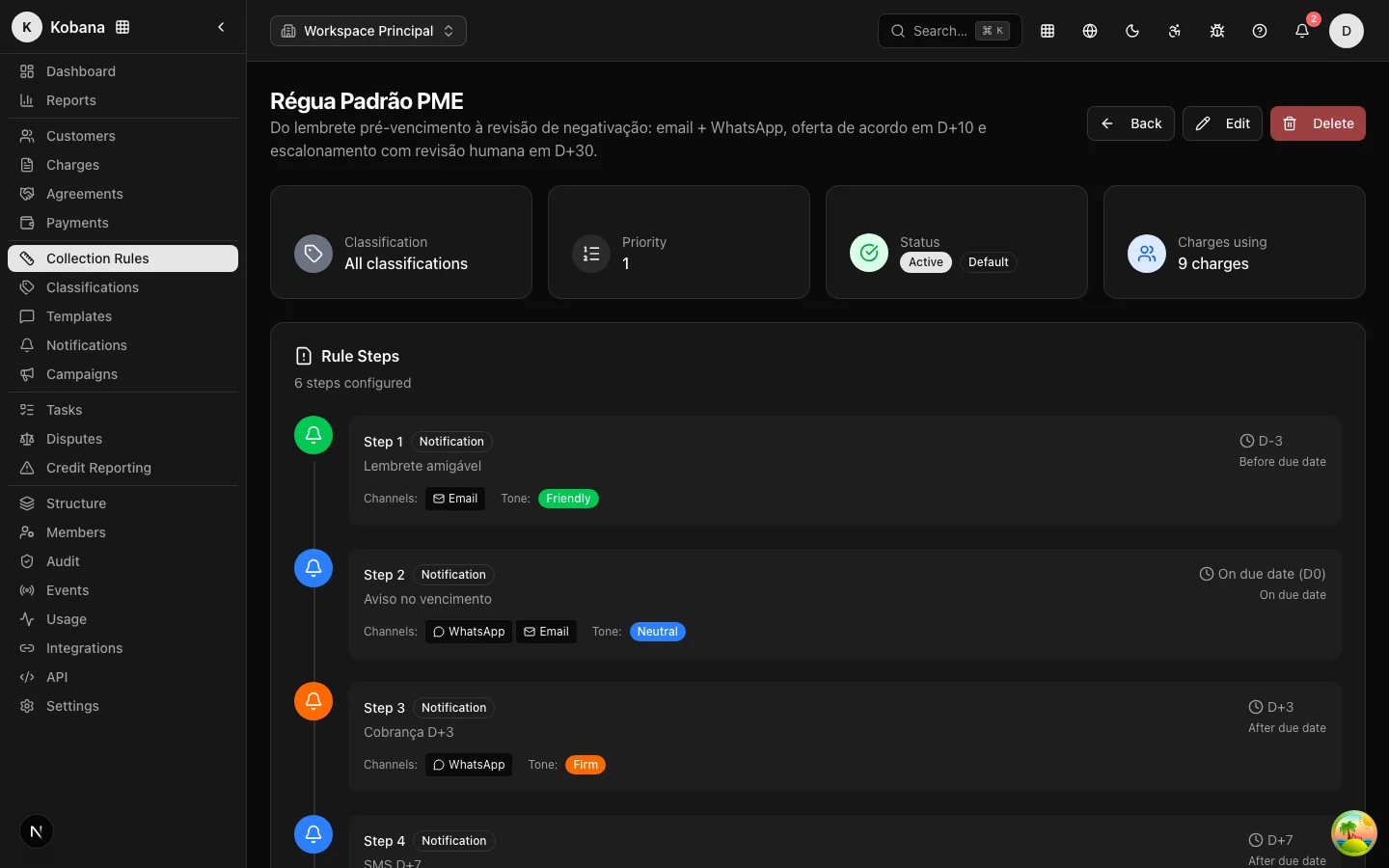
Each step of the collection rule answers three questions: when to fire (trigger), what to do (action) and through which channel to speak (channels). This page details the options for each.
When: triggers and offsets
The trigger anchors the step to a date on the charge, with an offset in days:
| Trigger | Meaning | Example |
|---|---|---|
Before due date (before_due) | X days before it is due | Friendly reminder at -3 days |
On the due date (on_due) | On the day itself | "Due today" |
After due date (after_due) | X days overdue | Firm charge at +5, offer at +15 |
After issue (after_issue) | X days after issuing | Invoice receipt confirmation |
After payment (after_payment) | X days after paying | Thank-you/confirmation |
The daily check compares today's date with the trigger of each active step, in position order. A step runs at most once per charge: if it has already fired, it does not repeat. after_due steps use the overdue days recalculated on the day — if a charge entered the rule already 20 days overdue, the eligible +3, +5 and +10 steps fire under the same per-person contact limits (you do not bombard the debtor; see Contact compliance).
What: action types
| Action | What happens |
|---|---|
Notification (notification) | Sends a message over the step's channels, with the chosen template |
Negotiation offer (negotiation_offer) | Creates an agreement offer for the charge (10% discount, up to 3 installments, valid for 7 days), visible in the debtor portal |
Manual task (manual_task) | Opens a follow-up task for the team, high priority, 24-hour deadline |
Credit bureau registration (negativation) | Creates a pending credit bureau registration record + an urgent human-review task — nothing goes to the bureau without approval |
Protest (protest) | Creates a pending protest record + an urgent human-review task |
Legal (judicial) | Opens an urgent task to escalate to legal |
Credit bureau registration, protest and legal escalation never execute on their own: they are workflows with mandatory human review. A charge under legal hold skips these steps automatically.
Through which channel: channels
A notification step can use one or more channels: email, SMS, WhatsApp and manual. The recipient is resolved from the customer's record:
- Email — the first email on file;
- SMS — the phone marked as mobile (or the first in the list);
- WhatsApp — the phone marked as WhatsApp; without one, it falls back to the mobile.
If the customer has no contact for a channel, that channel is simply skipped — the others proceed. Each charge + step + channel combination has an idempotency key: even with concurrent jobs, the same message never goes out twice.
:::caution Voice is not configurable The voice (phone call) channel cannot be chosen on steps: there is no telephony provider, and the API rejects creating or editing a step with voice (validation error). For calls, use the manual task action — it opens a call task for the team.
Old rules that already had a voice step do not break: when the step fires, instead of a phone call the system opens a call task ("Call [customer]", high priority) with the template text as the script, and records the execution normally. The channels that actually send messages are email, SMS and WhatsApp (the manual channel only records that a person will make the contact). :::
Tone and template
Each step carries a tone (friendly, neutral, firm, urgent) and a message template with interpolated variables — customer name, updated amount, days overdue, payment link. Without a template, the system sends a generic reminder with the charge's description; in practice, you will always want a template per step.
Step conditions
Steps can carry additional conditions recorded alongside the step; they are preserved in the published version's snapshot, and the evaluation result of each condition is stored on the step execution (conditionsResult) — you can answer "why did this message go out (or not)?" by looking at the record. Regardless of any condition, an active suppression always wins: no step condition overrides an opt-out or an open dispute.