Negotiation campaigns
A negotiation campaign is a reusable discount that the debtor portal offers automatically — without an operator having to create proposal after proposal. You define the discount, the maximum number of installments and, optionally, the overdue-days range in which the campaign applies; the portal does the rest.
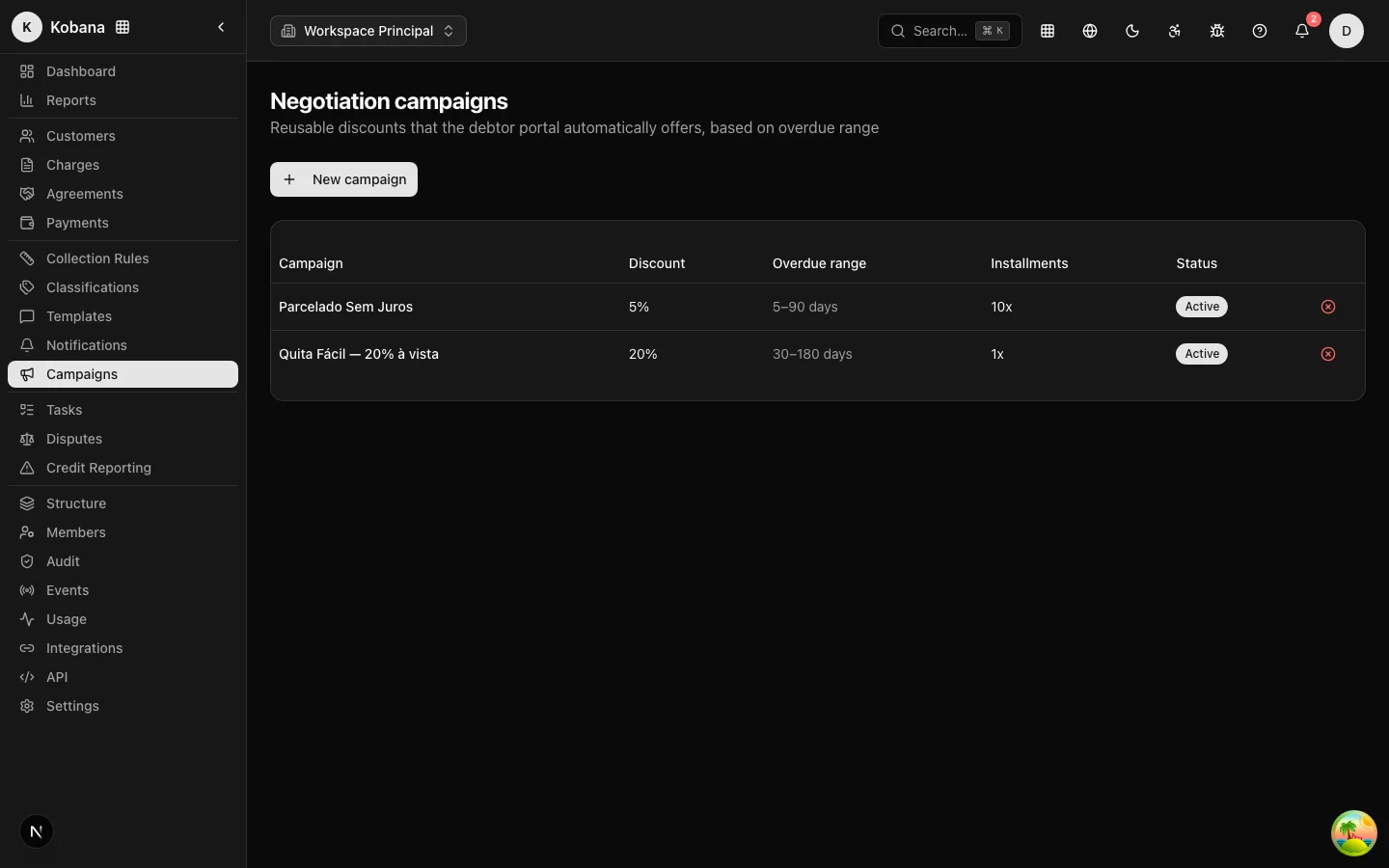
How to create one
In Campaigns, click New campaign and fill in:
| Field | What it does |
|---|---|
| Name | Internal identification (e.g. "Upfront recovery") |
| Discount (%) | Maximum discount percentage over the updated amount (0–100) |
| Max. installments | Installment ceiling for the agreement (1 to 36) |
| Minimum overdue days | Optional — the campaign only applies from this many days overdue |
| Maximum overdue days | Optional — the campaign stops applying above this many days overdue |
| Valid until | Optional — campaign expiration date |
The campaign is created active. To end it, use the close action in the list — it stops appearing in the portal immediately.
Segmenting by overdue-days range
The overdue-days range lets you scale how aggressive the offer is:
- 0–15 days: 5% discount, up to 3 installments (light incentive, fresh debt);
- 16–60 days: 15%, up to 6 installments;
- 61+ days (leave the maximum blank): 30%, up to 12 installments.
When the debtor selects charges in the portal, the system computes the highest overdue count among them and considers only the campaigns whose range covers that value (blank fields = no limit on that side). Among the valid campaigns, the portal automatically applies the one with the highest discount.
Validation at acceptance
The discount and installment plan the debtor accepts are validated server-side against the active offer: a proposal tampered with in the browser (discount above the ceiling, too many installments) is rejected and the incident is logged. With no active campaign, the portal offers no discount and caps the installment plan at a conservative ceiling. Details in Negotiation and agreements.
Offers created by the collection rule
Beyond campaigns (which apply to the whole organization), the collection rule itself can create a one-off offer for a single charge: the Negotiation Offer step type generates an offer of 10% discount in up to 3 installments, valid for 7 days, for that specific charge. In the portal, one-off offers and campaigns compete — the highest discount wins.
Best practices
- Pair the campaign with a notification step of the collection rule in the same overdue window: the message says "we have a special deal for you" and the portal is already showing the offer.
- Use Valid until for negotiation drives (e.g. an end-of-year campaign) — expiration is automatic, with no risk of a forgotten discount left running.
- Review the ranges periodically: if almost nobody accepts in the 16–60 range, the discount may be too low for your portfolio's profile.