White-label
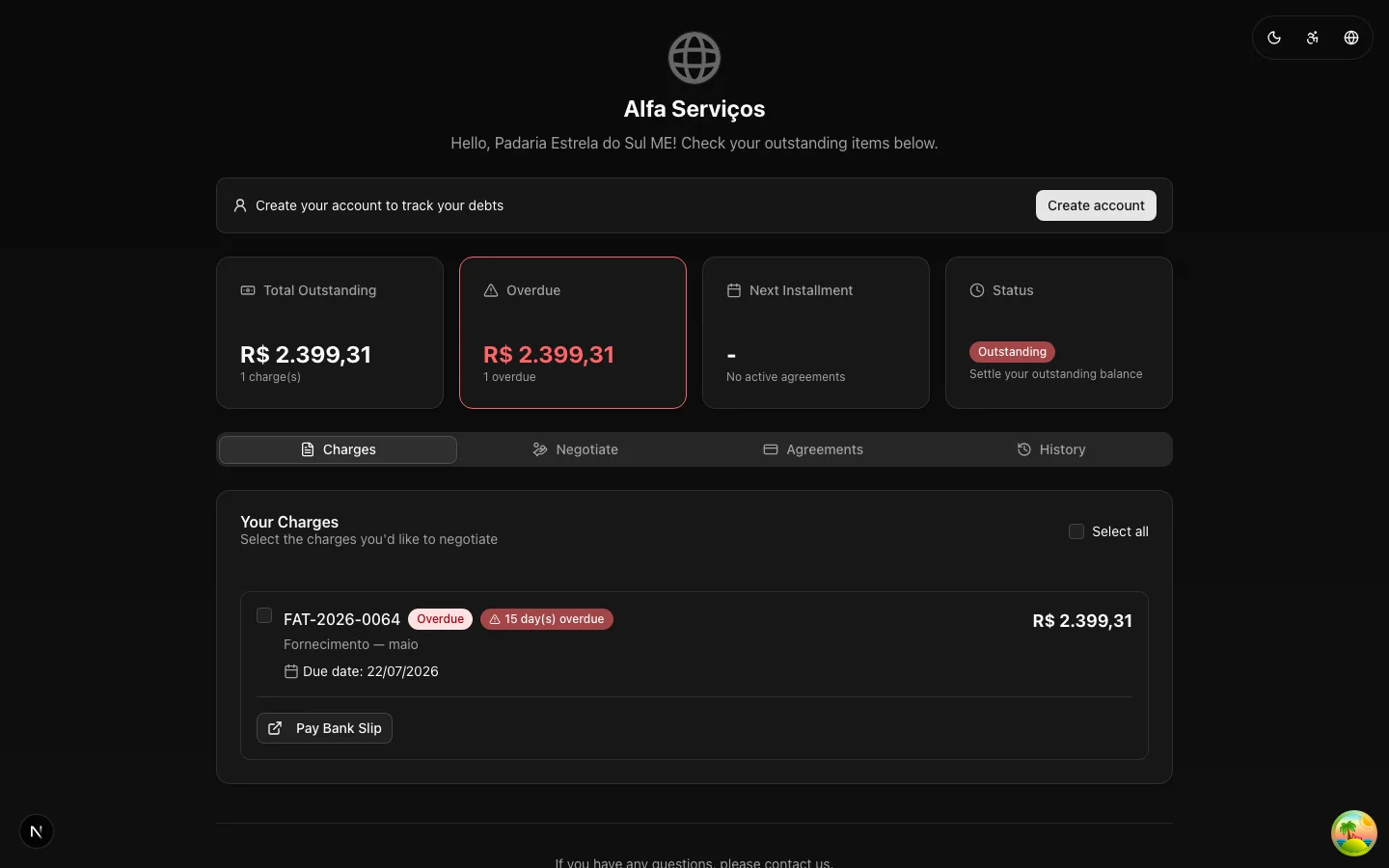
The debtor should negotiate with your brand — not with a generic collection system. A charge that arrives with the creditor's identity carries more legitimacy, raises less suspicion ("is this a scam?") and converts better.
Where to configure: the Portal tab
The portal's identity has its own configuration in Settings → Portal, organized into four blocks:
- Portal Brand — the display name (left empty, the trade name or legal name applies), the page title and subtitle, and the portal subdomain: a slug (lowercase letters, digits and hyphens) that becomes your portal's address, with a URL preview right on the screen.
- Logos — the default logo and an alternate logo for dark theme (PNG, JPEG or WebP, up to 2 MB each).
- Colors — the light and dark theme colors (background, text, primary and accent). Colors left unset inherit the default portal theme.
- Behavior — what the debtor can do: turn agreements through the portal on or off, persistent account creation, payment history, and the default language (Portuguese, English or Spanish).
Without a portal configuration, the logo and name on the organization's record apply (Account and brand) — the portal never shows up "ownerless". The organization's contact data also feeds the account.* template variables, so the message that carries the portal link and the portal itself speak with the same identity.
What the debtor sees
- Logo — appears right on the identity verification screen (before any data at all) and in the header of the authenticated portal. Without a logo on file, the portal displays the name.
- Name — used throughout the portal's copy, including in the identity confirmation prompt ("...to see the charge details from Your Company").
- Colors and language — the configured theme, in the chosen default language.
End-to-end consistency
For the debtor, the ideal experience is one continuous line with the same brand:
- The collection rule's message arrives signed by your company (email layouts customizable in cascade: branch → company → organization);
- The portal link opens with your logo on the verification screen;
- The portal shows the debts and the agreement with your identity;
- The agreement confirmation references your company.
Any break in that line (email with one brand, portal with another) becomes doubt — and doubt, in collections, becomes prolonged delinquency. When activating the product, upload the logo before firing the first collection rule with a portal link.