Members and permissions
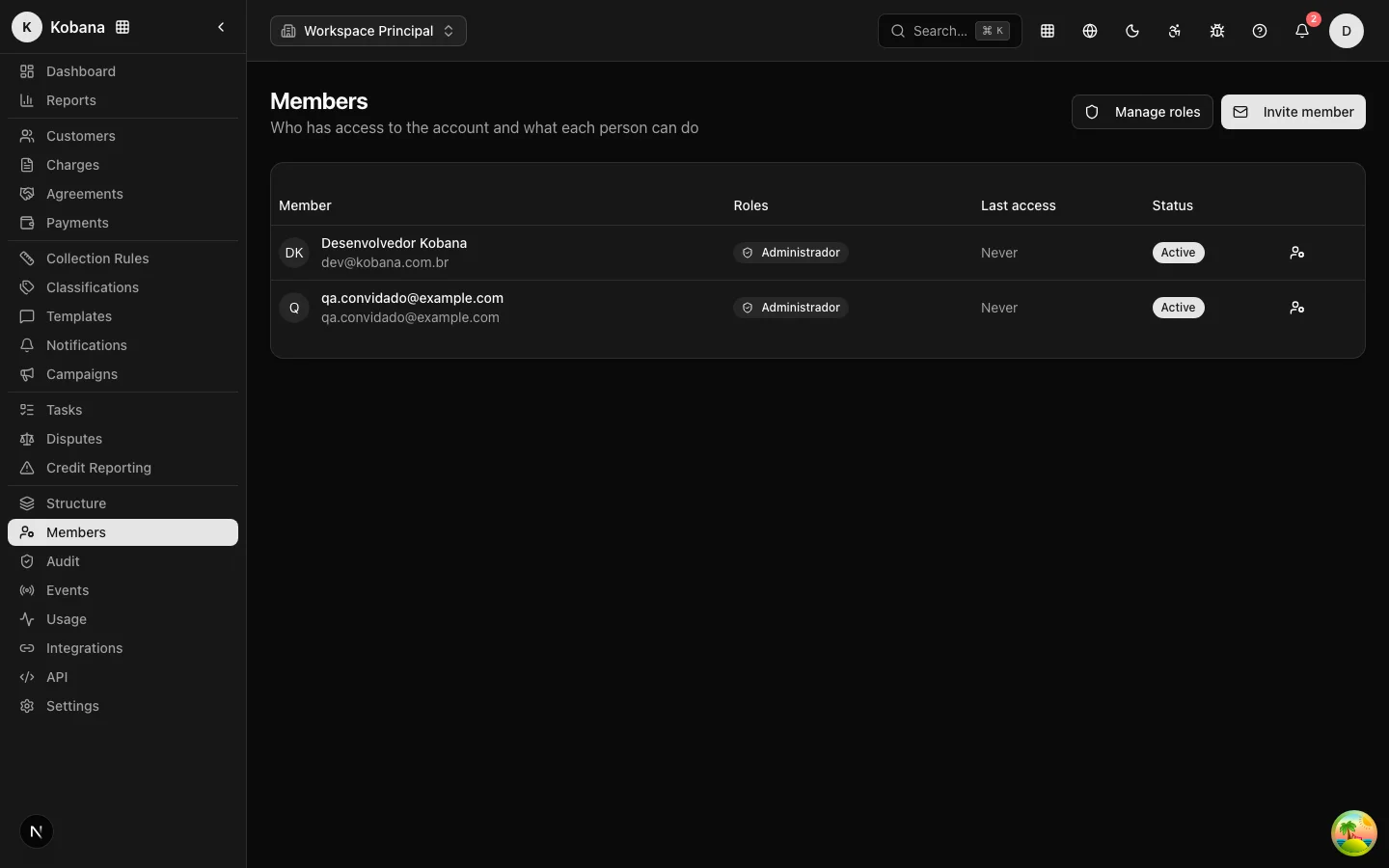
The Members screen answers "who accesses the account and what can each person do". Each member has one or more roles; each role is a set of permissions from the product's catalog.
Inviting someone
Only administrators invite new members. The invitation carries the email, name (optional) and initial role (Operator, by default) and expires in 7 days. Upon acceptance, the person joins the account with the defined role. If the email already belongs to a user on the account, or a pending invitation already exists, the system refuses (USER_EXISTS / INVITATION_EXISTS).
:::tip The same email can belong to several organizations Inviting someone who already uses Dunning in another organization works normally: upon acceptance, the person gets a separate access on your account (their own roles and permissions, nothing mixed between organizations). At login, anyone who belongs to more than one organization chooses which one to enter and can switch at any time using the selector at the top of the screen, without signing out. :::
:::note Requires a configured email provider (SMTP) Delivering the invitation by email depends on a transactional email provider (SMTP) provisioned in the environment. Until it is configured, the invitation is created but the email is not sent — the link must reach the invitee through another channel. :::
System roles
Four ready-made roles cover most operations:
| Role | What it can do |
|---|---|
| Administrator | Full access to all resources. Cannot be removed. |
| Manager | Full management of the operation, without account administration (members, roles, API keys, integrations). |
| Operator | Day-to-day work: customers, charges, tasks, agreements and disputes (general read + operational write). |
| Viewer | Read-only on all resources. |
System roles are immutable (SYSTEM_ROLE_IMMUTABLE): when the product gains new permissions, they automatically apply to these roles, with no reconfiguration on your part.
Custom roles
Beyond the four system roles, you can create your own (via POST /api/v1/team-roles) choosing any combination of permissions from the catalog. Unknown permissions are rejected; so are duplicate names (DUPLICATE). A custom role in use cannot be deleted (ROLE_IN_USE).
The permission catalog
Every permission follows the format dunning.dashboard.<recurso>.<ação>, with wildcard support (dunning.dashboard.*). Actual resources and actions:
| Resource | Actions |
|---|---|
dashboard | view |
people | list, show, create, update, delete |
charges | list, show, create, update, delete, notify |
collection_rules | list, show, create, update, delete, activate |
classifications | list, show, create, update, delete |
templates | list, show, create, update, delete, duplicate |
notifications | list, show, create, update, resend, delete |
tasks | list, show, create, update, delete, complete |
interactions | list, show, create, update, delete |
agreements | list, show, create, update, cancel |
disputes | list, show, create, resolve |
negativations | list, show, create, approve, cancel |
protests | list, show, create, approve, cancel |
portal | generate_link, revoke_link |
companies | list, manage |
members | list, show, invite, update, suspend, remove |
roles | list, show, create, update, delete, assign |
audit | list, show |
api_keys | list, create, revoke |
integrations | list, manage |
webhooks | list, show, create, update, delete |
email_layouts | list, show, create, update, delete |
imports | list, show, create |
exports | create |
settings | show, update |
The same catalog powers the scopes of API keys.
Assigning roles and deactivating members
In the members table (name, roles, last access, Active/Inactive status), the edit icon opens the role picker. The change takes effect immediately and ends the member's current session — they must sign in again, already with the new permissions. Deactivating a member cuts off access instantly, without erasing their history in the audit trail.
Foot-gun protections
LAST_ADMIN: the system refuses to downgrade or deactivate the last active administrator (nobody locks their own account from the outside).SELF_DEACTIVATION: you cannot deactivate your own account.SELF_ROLE_CHANGE: non-admins cannot change their own role.
Every member and role change is recorded in the audit trail.