Audit
The Audit screen is the immutable trail of everything that happened in the account: who did what, and when. It is not a system log, it is evidence: the record you present when a debtor, a lawyer or a judge asks "why did you do that?".
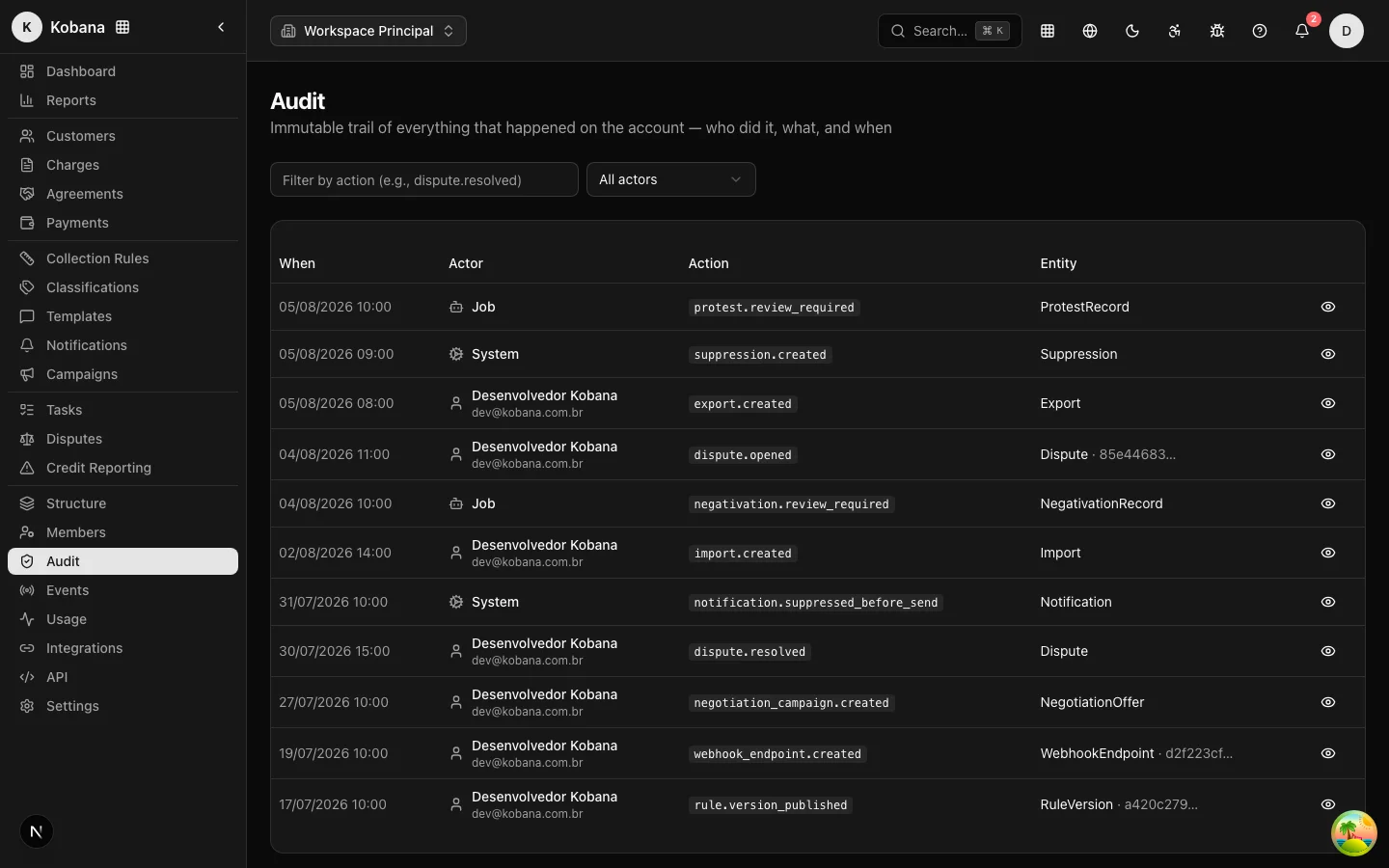
Truly append-only
The trail is immutable at the database level: a Postgres trigger rejects any UPDATE or DELETE on the audit table. Not even an administrator, nor the application itself, can rewrite the past — only append. There is no purge routine: the history stays.
The same protection covers notification delivery receipts: once a message is recorded as delivered, the database prevents deleting the notification or clearing the delivery date and the provider identifier. This is the evidentiary backing required by Brazilian case law on debtor notification (STJ, Tema 1.315 — a binding precedent of the Superior Court of Justice): the creditor must prove that they notified, and the proof cannot be editable.
What each record holds
- Actor: user (with name), system or job — automatic actions also sign.
- Action: a stable code, such as
dispute.resolved,rule.version_published,email_layout.created. - Entity: type and identifier of the affected record.
- Before and after: JSON snapshots of the state, side by side in the detail view.
- Reason (
reason), when the action requires a justification (a dispute decision, for example). - IP and User-Agent of whoever executed it.
- Exact date/time.
What enters the trail
Among others: publishing collection rule versions, enrollment transitions, contact suppressions, opening and deciding disputes (with reasoning), reasons for non-sends, payment events, credit bureau registrations and protests pending review, sensitive debtor portal actions, member/role/structure changes and the creation of API keys and webhooks.
Using the screen
- Filter by action: type part of the code (e.g.
dispute.resolved). - Filter by actor: All, User, System or Job.
- Pagination: 25 events per page.
- View details opens the full record, with IP, reason and the Before/After panels in JSON.
API access
The trail is exposed read-only at GET /api/v1/audit-logs, with filters by action, entity type/ID, actor type/ID and date range (from/to), paginated at up to 100 per page. Writing is exclusive to the audit service: there is no endpoint to create, edit or delete records.
Viewing the audit trail requires the audit.list permission (the Manager and Viewer system roles have it; integration API keys do not — audit is an administrative resource).