Legal workflow
Credit bureau registration (negativação — with SPC, Serasa or Boa Vista) and notary protest are not "collection rule channels" — sending a CPF to a credit bureau is not like sending an email. They are legal acts with serious consequences for the debtor and real liability for your company: a wrongful credit bureau registration gives rise to moral damages. That is why the system treats them as workflows with mandatory human review: the rule can initiate, but nothing is registered with the bureau or the notary office without a human approving it.
How the rule initiates (without executing)
When a Negativação (credit bureau registration) or Protest step of the rule fires, the system:
- Creates the record with status
pending— the intent exists, nothing has taken effect; - Opens an urgent review task for the team, with a checklist of what to verify: the debt's enforceability, supporting document, the debtor's identity, amounts and any pending dispute;
- Notifies the operator in the app ("Mandatory review: credit bureau registration/protest");
- Emits the webhook
negativation.review_required/protest.review_required; - Records everything in the audit trail.
A charge under legal hold does not even create the record: the step is skipped, with a log entry.
Human review and permissions
Effectuating a record requires the approve permission for negativations/protests — separate from the permissions to view (list/show), create (create) and cancel/remove (cancel). In practice: a regular operator sees the queue, but only whoever the organization designated (e.g. legal or a manager) confirms submission to the bureau or notary office. Removal and cancellation also have their own permission.
Before approving, go through the task's checklist:
- Is the debt enforceable (not time-barred, no open dispute, no agreement in good standing)?
- Does the supporting document (contract, invoice, trade note) exist and support the amount?
- Does the debtor's identity match (right document, right person)?
- Was the prior notice sent (use the Credit bureau warning / Protest warning template categories in the rule)?
Credit bureau registration status
| Status | Meaning |
|---|---|
pending | Created by the rule or manually; awaiting review/effectuation |
active | Registered with the bureau (with registration date) |
removed | Removed from the bureau (with date and reason) |
failed | Registration with the bureau failed |
Each record stores the bureau (Serasa, SPC or Boa Vista), the amount, the registration/removal dates and the bureau's response.
Protest status
| Status | Meaning |
|---|---|
pending | Created; awaiting review/submission to the notary office |
sent | Sent to the notary office (with date) |
intimated | Debtor formally notified by the notary office (with notification date) |
protested | Protest recorded (with date) |
paid | Paid at the notary office (with payment date) |
cancelled | Cancelled (with cancellation date) |
The protest record tracks the notary office, the office code, fees and the dates of each phase — the Protests screen lists all of this per receivable.
Where to follow up
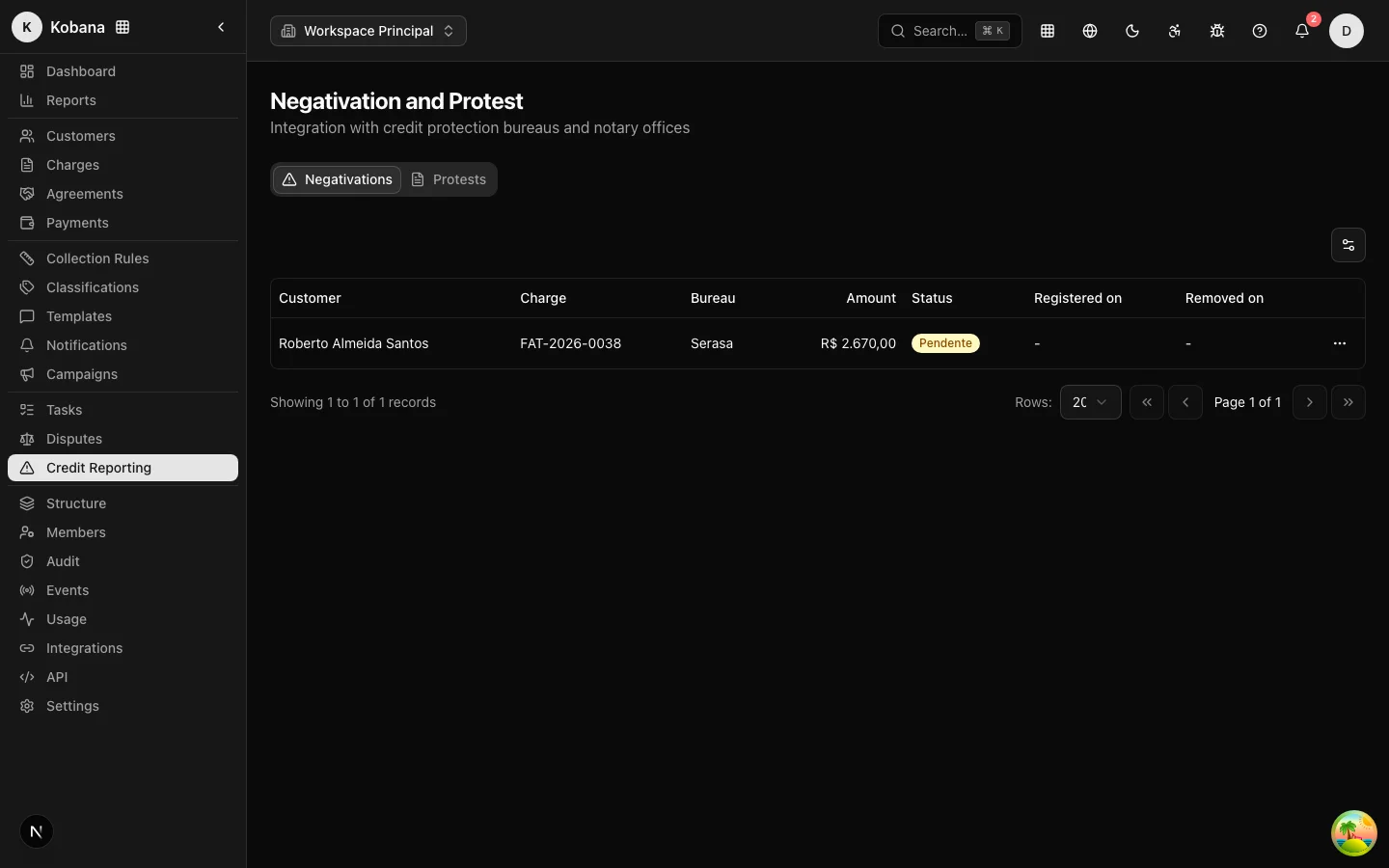
The Credit Bureau & Protest page has one tab per workflow, with customer, charge, amount, bureau/notary office, status and dates. Pending reviews appear in the Tasks queue with urgent priority — this is the queue that must not pile up.
To take a record off the books (debt paid, agreement closed, decision to step back), see Removal and cancellation.