Integrations
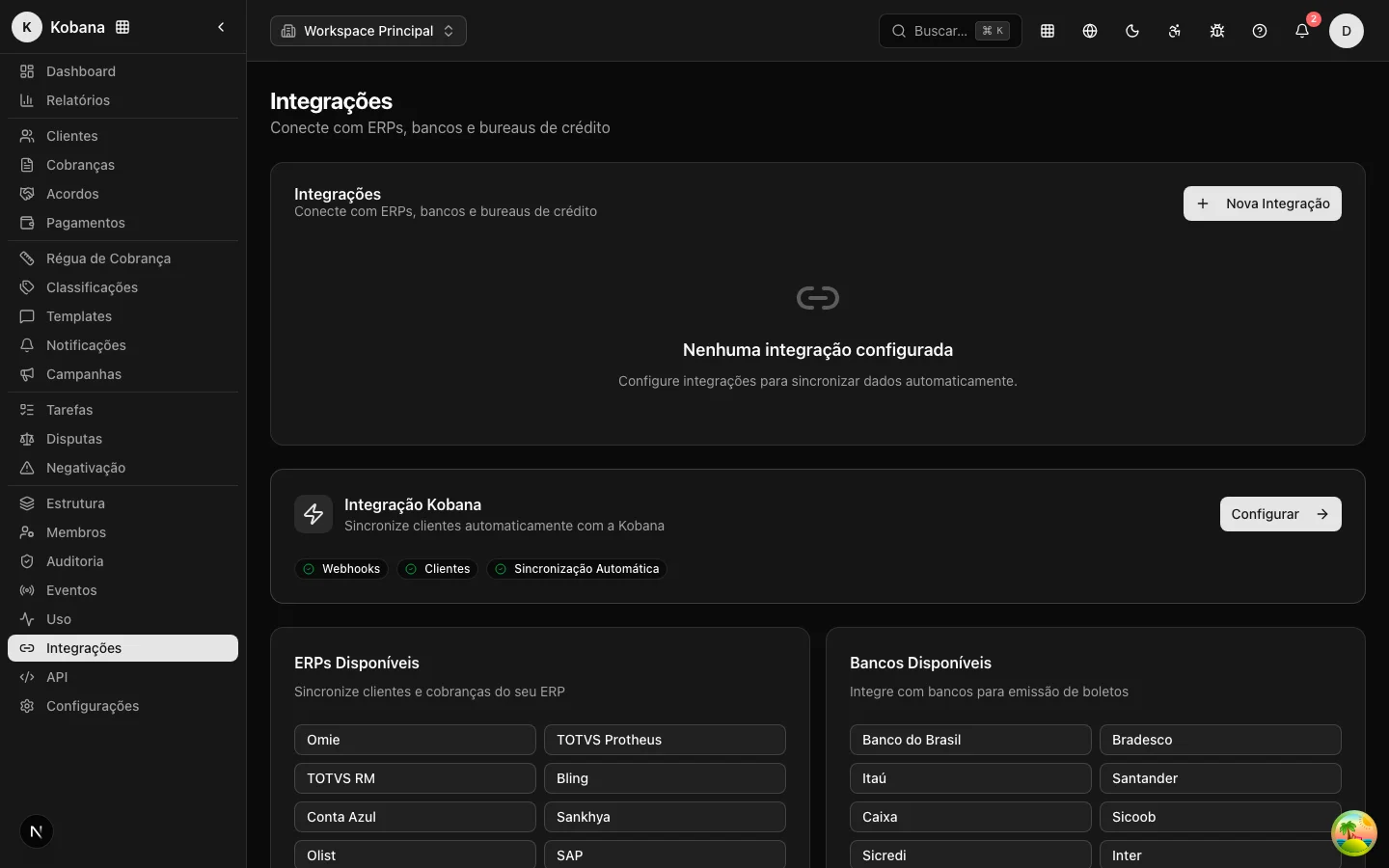
Integrations connect Dunning to the systems where your charges already originate — the Kobana Gateway, the sibling Faturamento and Financeiro products, and market ERPs such as Bling, Conta Azul, Omie and Olist/Tiny. Instead of re-registering charges by hand, you connect the source once and Dunning starts pulling the charges and customers from there to collect on them with the collection rule, the portal and the agreements.
How it works
The model is idempotent pull: Dunning reads the external source and brings in what exists there. Each sync:
- Links the source customer to a person in your portfolio — first by the external identifier, then by the normalized CPF/CNPJ. When there is no match, it creates a minimal person so the charge is not lost.
- Creates or updates the charge in Dunning from the source's receivable (or boleto/invoice).
- Does not duplicate: each charge carries an
externalIdprefixed by the source (e.g.bling:receivable:123). Running the sync again updates the same record instead of creating a new one.
When the source reports that a charge was paid, Dunning reuses its own settlement flow — the charge is marked as paid and exits the collection rule. When it reports a cancellation, the charge leaves the collection rule for good. Charges already in a final state locally (paid or cancelled) do not have their amount or due date overwritten by the source.
Automatic and manual synchronization
Each active integration is synced automatically every 60 minutes by default. This interval is configurable per integration (it lives in each connection's settings), and automatic synchronization can be turned off. Beyond the automatic cycle, you can sync on demand at any time, via the sync button.
The products that support webhooks — the Kobana Gateway and Faturamento Automático — receive events in real time, without waiting for the next cycle: a boleto payment reflects in Dunning within seconds. The ERPs (Bling, Conta Azul, Omie, Olist) do not expose webhooks and depend on the sync cycle — the change appears at most on the next sync.
Which integration for what
| Integration | What it pulls | Authentication | Real-time |
|---|---|---|---|
| Kobana Gateway | Customers + boletos and Pix | Access token | Webhook + pull |
| Faturamento Automático | Customers + invoices | API token | Webhook + pull |
| Financeiro Inteligente | People + receivables | Access token | Pull only |
| Bling | Contacts + receivables | OAuth ("Connect") | Pull only |
| Conta Azul | Customers + receivables | OAuth ("Connect") | Pull only |
| Omie | Customers + receivables | Static key (app key/secret) | Pull only |
| Olist (Tiny) | Contacts + receivables | OAuth ("Connect") | Pull only |
:::note Panel connection: only the Kobana Gateway (today)
Of the integrations above, only the Kobana Gateway has a ready connect screen in the panel. The others (Billing, Finance, Bling, Conta Azul, Omie, Olist) are configured today through the API (/api/v1/integrations/...); the equivalent self-service screen in the panel is on the roadmap. The synchronization, logs and security described below apply to all of them.
:::
Logging everything
Every call to an external system — and every webhook received — is recorded in an integration log: method, endpoint, status, duration and error. It is the trail that answers "did the charge come in?", "why did the last sync fail?" or "did the webhook arrive?". Secrets never enter the log: authentication bodies are redacted and tokens are never recorded.
Credential security
Each integration's credentials (access tokens, application keys, OAuth tokens) are encrypted at rest. Writing is fail-closed: if encryption fails, the operation is aborted instead of storing a secret in plain text. No API route returns an integration's credentials.
What integrations do not do
Dunning collects from the data it receives — it does not issue a boleto or an invoice on top of a third party's charge on its own. Issuance stays in the source system; Dunning comes in afterward, orchestrating the collection rule, the portal and the agreements over the synced charges. The ERP integrations are pull-only (read-only from the source): Dunning reads the charges but does not write back to the ERP.