Day-to-day operations
With the rule live, human work changes in nature: you don't fire collection messages — you handle the exceptions the system sets aside and read the numbers to tune the machine. This is an operator's routine.
The morning: dashboard and bell
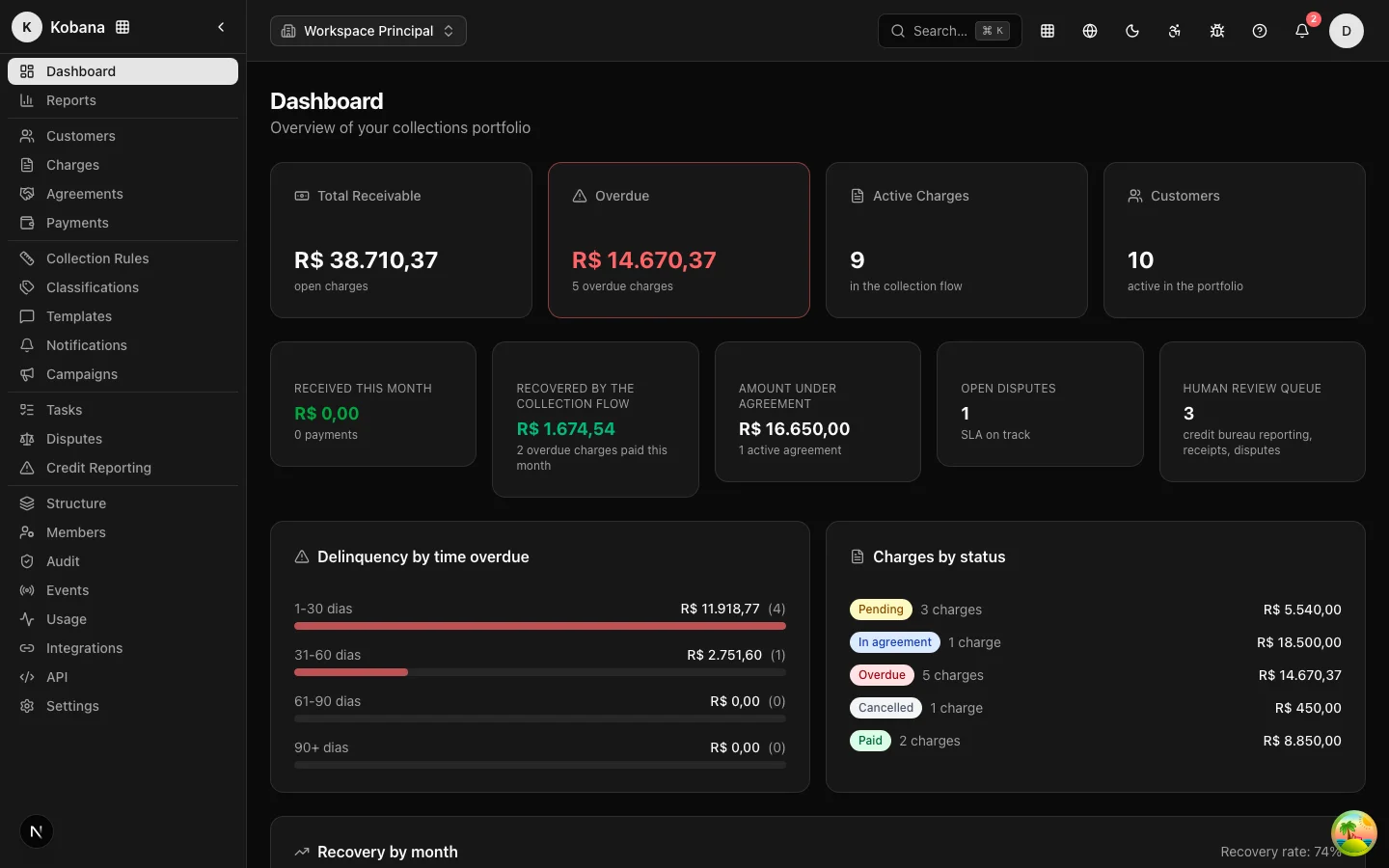
Start with the dashboard. On top, the portfolio snapshot (Total Receivable, Overdue, Active Charges, Customers); in the middle, the operational row — and that is where your day lives:
- Human review queue — pending tasks that require a person.
- Open disputes — highlighted in red if any has blown its SLA.
- Recovered by the rule, Received this month, and Amount under agreement — the results.
Recent activity shows what the night brought (payments, sends, due dates), and the bell concentrates what needs you: credit bureau/protest reviews, "I already paid" claims to verify, broken agreements, broken payment promises, finished imports/exports, expiring API keys. Clicking a notice takes you straight to the action screen.
The human review queue
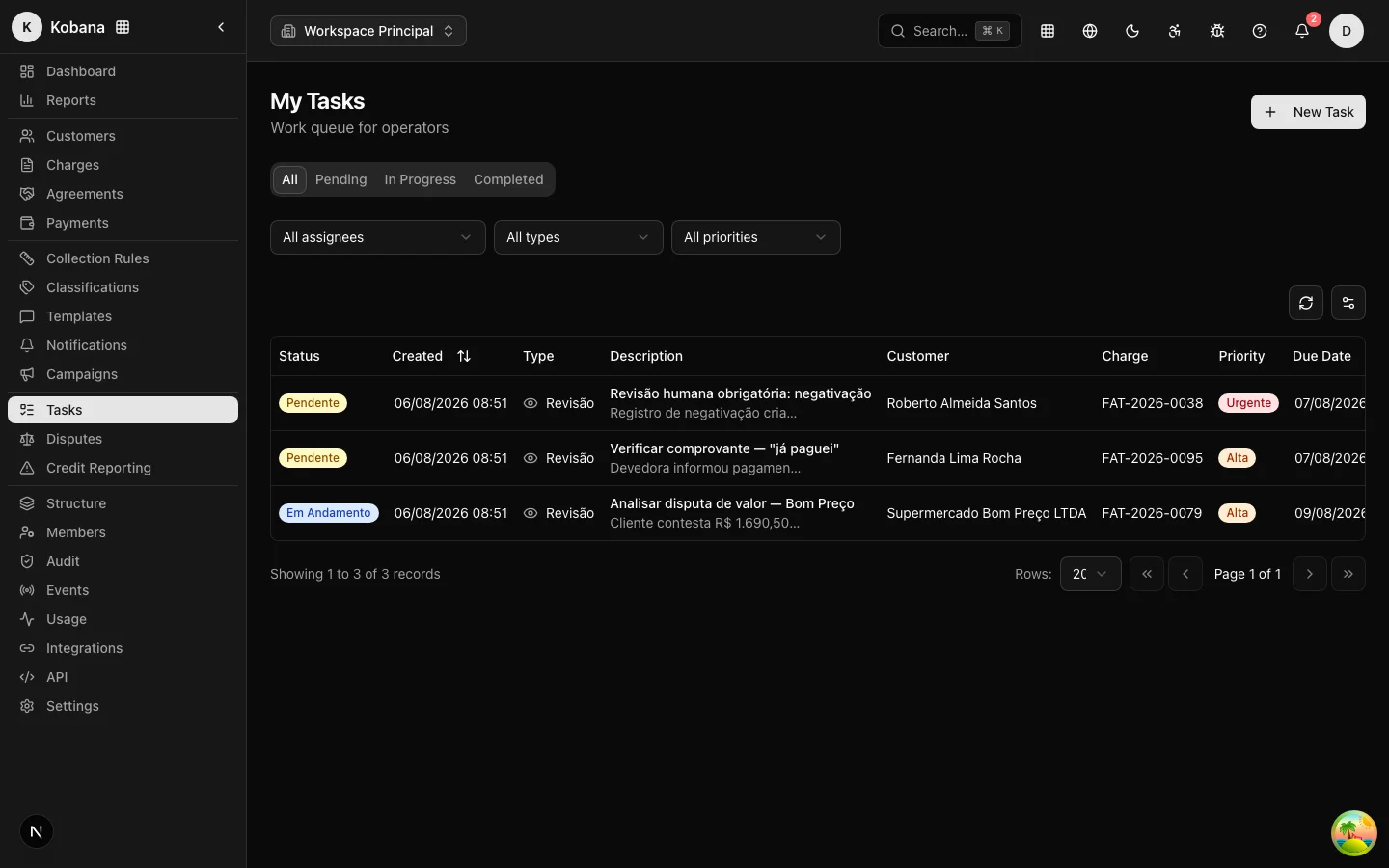
The Tasks screen is the work queue (details). Review-type tasks are the decisions the system refuses to take on its own:
- Approve credit bureau registration or protest — the rule's step only creates a pending record; nothing reaches the bureau or notary without your sign-off (workflow).
- Verify a receipt — the debtor's "I already paid" pauses the rule and opens the task: confirmed, the charge closes; not confirmed, the rule resumes where it left off.
- Legal escalation — urgent tasks created by the judicial step.
Work the queue by priority and due date. A stalled review task means a stalled rule for that charge.
Disputes: top priority
An open dispute has already paused the rule and suppressed pending sends — the clock now running is the SLA (default: 5 days). The routine (Contestations):
- Take the dispute ("Start review") and assign an owner.
- Gather evidence: receipts, the contract, work orders, the debtor's account of events.
- Decide: valid or invalid — the effects of each decision (close, adjust the amount, resume the rule) are applied by the system, and everything enters the evidentiary trail.
Disputes past their SLA are highlighted on the list and the dashboard. Don't let contestations age: while one lives, nobody collects.
Agreements: propose, accept, track
Negotiated over the phone? Record it in Agreements → New Agreement (customer, amount, discount, installments, first installment) and use Accept Agreement when the customer confirms — the system records date, IP, and terms, and generates the installments (Negotiation and agreements). Through the portal, the debtor does this alone, within the limits of the active campaign.
An accepted agreement takes the charge out of the rule. A break is detected on its own: an installment overdue beyond the grace period (default: 5 calendar days) marks the agreement as Defaulted, returns the charges to the rule and posts an alert to the bell — your job is to decide between regularizing or cancelling. And when the debtor promises to pay by a date ("I'll pay on the 15th"), record the payment promise: the rule pauses until the promised date and resumes on its own if the payment does not come.
A living portfolio
- New batches: import by spreadsheet (customers before charges) and handle row-level errors the same day — Import.
- Suppressions: record opt-outs and sensitive cases as soon as they appear; a suppression beats any rule step.
- Manual settlements: a payment that arrived out of band (direct deposit, an old agreement) must be settled so the rule stops — Payment and settlement.
Read the numbers and tune the machine
Two weekly readings are enough to calibrate:
- Aging (dashboard): if the mass is migrating to the 61–90 and 90+ buckets, the current rule is not keeping up — revisit the steps and consider more aggressive negotiation campaigns in those ranges.
- Recovery: which step and channel actually convert (attribution by the last step before payment). A step that never converts is a candidate for a different tone, channel, or moment.
Remember: editing the rule does not affect those already enrolled — changes apply to future charges (versions). And every team action lands in the append-only audit trail, ready to sustain the operation in court.