Go-live checklist
The final review before turning the rule on in production for real — with channels sending real messages to real debtors. Go through it in order; each item points to the page that explains why.
1. Portfolio
- Imports finished with no pending errors (the "View errors" link lists them row by row) — Import.
- Customer sample verified: document, email and/or phone (without a contact, the channel is skipped),
external_idfilled in. - Addresses with a state (UF) — the legal contact window is resolved by the debtor's state; without a valid one, the conservative national rule applies.
- Charges with amount, due date, and ideally payment data (
pixEmv,paymentUrl, orbarcode) so messages go out "payable".
2. Suppressions — before the first send
- Known opt-outs from the previous operation recorded as suppressions (
opt_out). - Sensitive cases mapped: deceased, under litigation, represented by a lawyer, "that's not me" — each with the correct suppression type.
- Charges under formal discussion given a legal hold.
A suppression beats any rule step. Recording them before go-live is the difference between "the system protected us" and "we collected from the wrong person on day one".
3. Rule
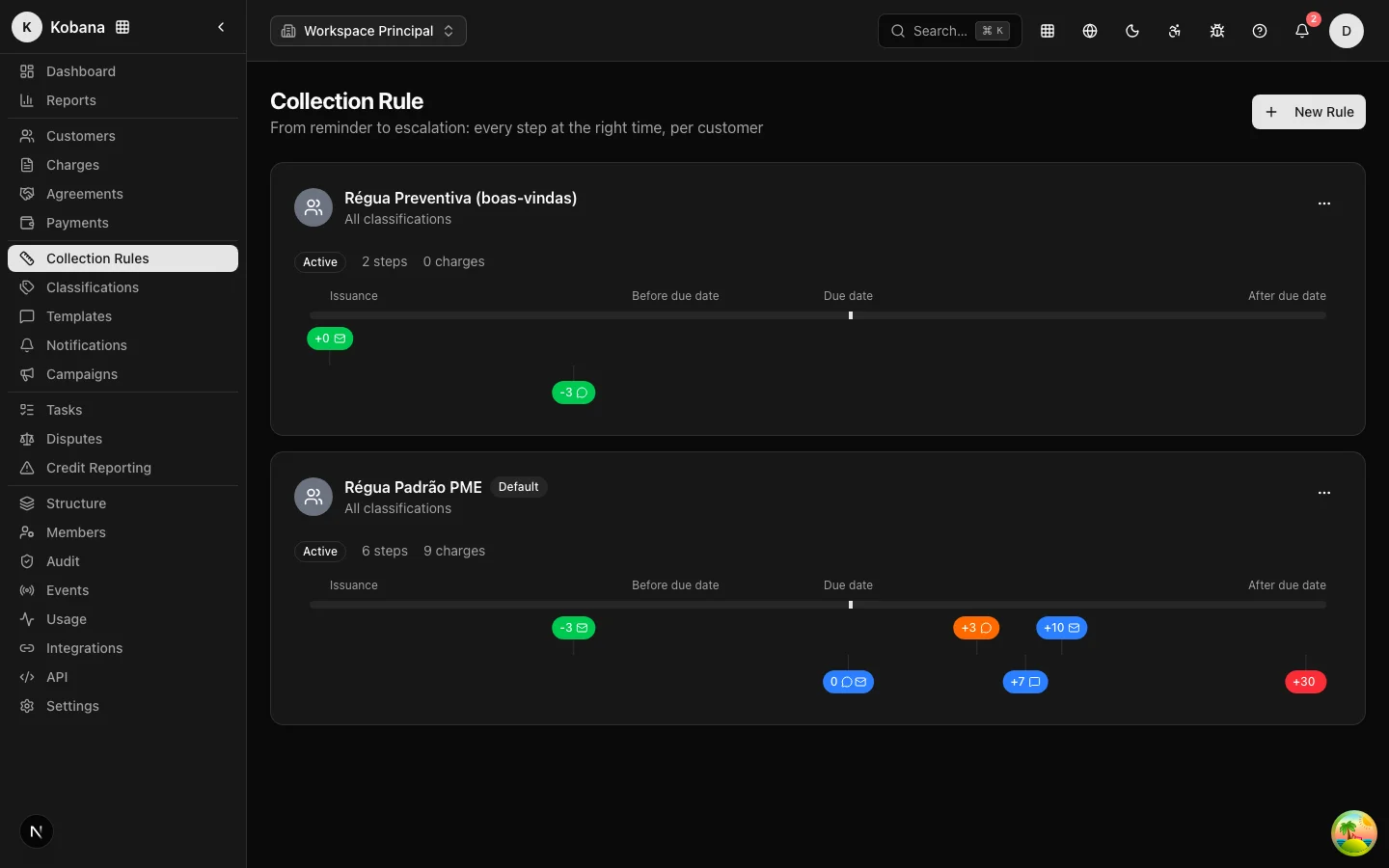
- Rule active, published, and marked as Default — it is the one that captures every ruleless charge (versions and publication).
- Every step with its own template — without one, a generic reminder goes out (templates and variables).
- Templates with a way to pay and a tone fitting the overdue range; credit bureau/protest warnings in the correct category (they document the required prior notice).
- Credit bureau/protest/judicial steps reviewed with the team: they create urgent review tasks — someone must own that queue.
- Simulated dry run done: with channels still off, the rule ran over the real portfolio and the engine executions showed scheduling, windows, and suppressions as expected.
4. Windows and limits
- Legal windows checked for the portfolio's relevant states (contact compliance) — remember: outside the window means rescheduled, never dropped.
- Per-person limits reviewed (default: 2/day, 6/week, 4-hour gap) — customize the contact policy only with justification.
- Organization timezone correct (default
America/Sao_Paulo).
5. Sender and brand
- Organization details complete in Settings → Company: legal name, trade name, CNPJ, phone, email, logo — they appear in the app, on the portal, and in the templates'
account.*variables (account and brand). - Email layout with the right brand and a footer identifying the creditor; branch → company → organization cascade tested, if there are multiple brands.
- Debtor portal configured in the Settings → Portal tab (logos, colors, subdomain, behavior) and checked by opening it: logo, name, and offer displayed correctly.
6. Channels — the final switch
- Email, SMS, and WhatsApp providers configured in Settings → Notifications. This is the switch: without a channel, everything is simulated; with one, it is real.
- A real test send made to internal contacts (a test charge with your own email/phone) and the result checked in an email client and on a phone.
7. Team and integration
- Operators invited with the right roles; owners assigned for the review queue and for disputes (members and permissions).
- Active negotiation campaigns reviewed (discount and installment cap are what the portal will honor).
- If there is an integration: webhooks signed and verified, API key with expiration, idempotency in production (integrator's guide).
It's on. Now what?
For the first 48 hours, watch closely: Recent activity and the engine executions (what went out, what was rescheduled, and why), webhook deliveries (failures and retries), and the bell (reviews and "I already paid" claims). The rule was designed not to need you — but in the first days, looking is cheap and fixing early is cheaper still. The permanent routine is in Day-to-day operations.