Account and brand
The Settings screen concentrates account administration in five tabs: Company, Portal, Users, Notifications and Security. Each tab has its own address (/settings?tab=notifications, for example) — you can link a colleague straight to the right tab. External connections (Kobana account, ERPs) live on the Integrations page in the sidebar.
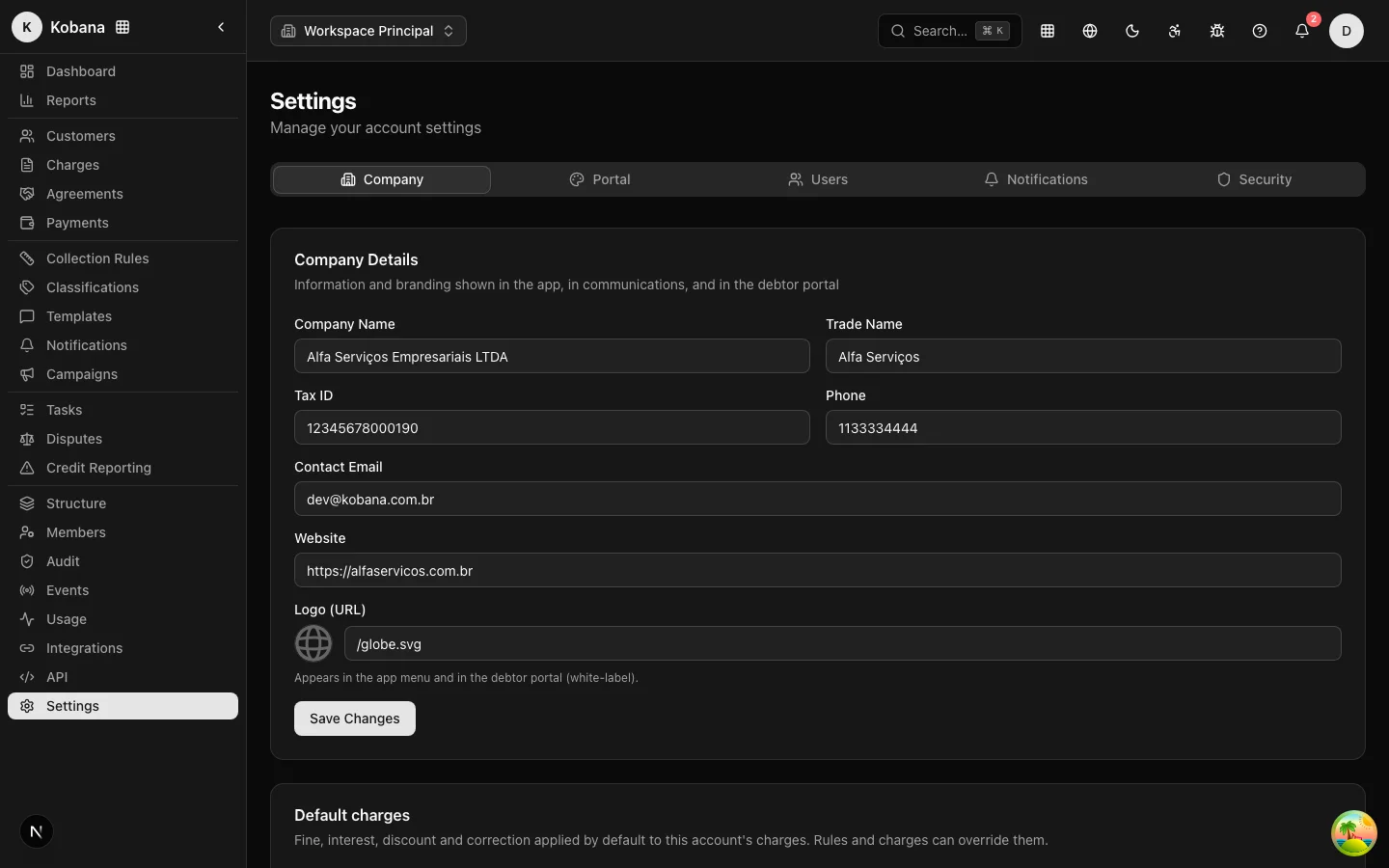
Organization data (Company tab)
The data that identifies your operation:
- Legal name and trade name
- CNPJ/document
- Phone, email and website
- Logo (image URL, with a preview right on the screen)
Where your brand appears (white-label)
The logo and trade name are not decorative record-keeping: they dress the product.
- In the app: the sidebar displays your logo and your name for the whole team.
- In the debtor portal: the debtor who opens the negotiation link sees your brand, not ours. The portal has its own brand configuration in the Portal tab (logos, colors, display name, subdomain); without it, the organization's logo and name apply — and, without a logo, a circle with the name's initial.
The look of collection emails is controlled by the email layouts, which can also vary per company and branch.
The other tabs
- Portal: the debtor portal's identity and behavior — display name, subdomain, logos, colors and what the debtor can do. Detailed in White-label.
- Users: access management, detailed in Members and permissions.
- Notifications: the account's sending channels (email, SMS and WhatsApp providers). With no channel configured, sends are simulated — useful for testing a collection rule without firing real messages.
- Security: API keys and the interface session timeout (15, 30, 60 or 120 minutes).
Interface language
The product speaks Portuguese (default), English and Spanish. Switch via the language selector (globe icon) at the top of the screen; it applies only to your browser and is remembered for 1 year. Each operator chooses their own language; the account's data does not change.
Your profile
In Settings → Profile (or My profile, in the user menu) you see your data: name, email, role, account and join date. The email is your login identity and cannot be changed from here — Kobana account management (login credentials) lives behind the Manage account button in the user menu.
The profile also holds the "Show getting started on the dashboard" preference: this is where you bring back the onboarding checklist after hiding it. The choice is per user and applies in any browser.