Amounts and due date
Each charge carries a set of amounts that tell the debt's story — from what was issued to what is owed today. They all appear in the Amounts card on the charge detail view.
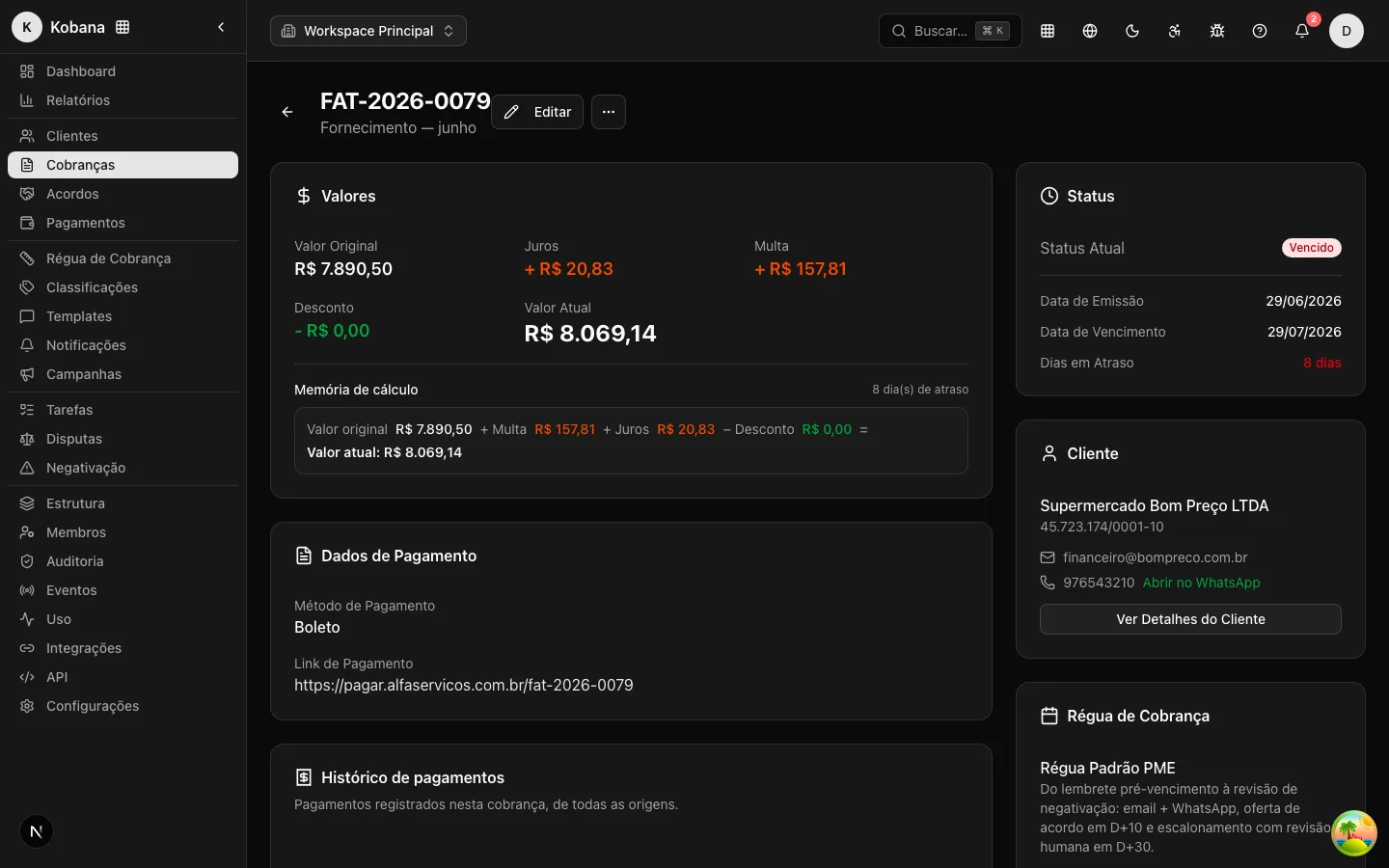
The five amounts
- Original Amount (
originalAmount) — the receivable's amount at issuance. Required and always positive. It never changes. - Interest (
interestAmount) — charges accrued from the delay. - Fine (
fineAmount) — the penalty for not paying on time. - Discount (
discountAmount) — reductions granted. - Current Amount (
currentAmount) — what is owed today:
Current Amount = Original Amount + Interest + Fine − Discount
When the charge is paid, the Paid Amount (paidAmount) records how much actually came in — which may differ from the current amount (partial payment, agreement with a discount).
In rule messages, it is the Current Amount the debtor sees (the {{charge.currentAmount}} variable in templates), never an amount frozen in the past.
In a partial payment, paidAmount closes the original charge as Paid (partial settlement) and the remaining balance becomes an independent child charge, with a new originalAmount (the balance itself, an immutable base) and a new due date — instead of recalculating the amount of the same charge. See Payment and settlement.
Dates
- Issue Date (
issueDate) — when the receivable was issued. Required at creation; in imports, it defaults to the processing date. - Due Date (
dueDate) — the central milestone of the lifecycle: it defines when the charge becomes Overdue and anchors the rule's triggers ("3 days before the due date", "7 days after"). - Payment Date (
paidAt) — filled in at settlement.
Days overdue (daysOverdue)
The counter of calendar days since the due date of an unpaid charge. It appears in the charge list (the Days Overdue column), on the detail view, in the dashboard's aging chart, and in rule conditions.
How it works:
- It is recalculated daily by an automatic process, along with the update of interest, fine, and status.
- A charge that is current or paid has
daysOverdue = 0. - In the recovery metrics, the delay at the moment of payment is calculated directly from the dates (payment − due date), so payments made on the same day are not undercounted.
Editing amounts
The charge edit form lets you manually adjust interest, fine, discount, and the paid amount — useful for reflecting negotiations made outside the system or your own late-fee policies. The Total Amount shown in the form recalculates instantly.
:::warning Wrong amount according to the debtor? If the debtor contests the amount, the right path is not editing the charge: it is recording a dispute of the "Wrong amount" type. The dispute pauses the rule immediately, preserves the audit trail, and, if upheld, adjusts the amount with a reasoned decision. :::
Payment details
Beyond the amounts, the charge can carry the payment methods that make messages "payable": Payment Method (Boleto, Pix, Credit Card, Transfer), Barcode, Pix Copy-and-Paste Code, and Payment Link. Fill them in whenever they exist — a good charge is one the debtor can pay in the same minute they read the message.