Payments
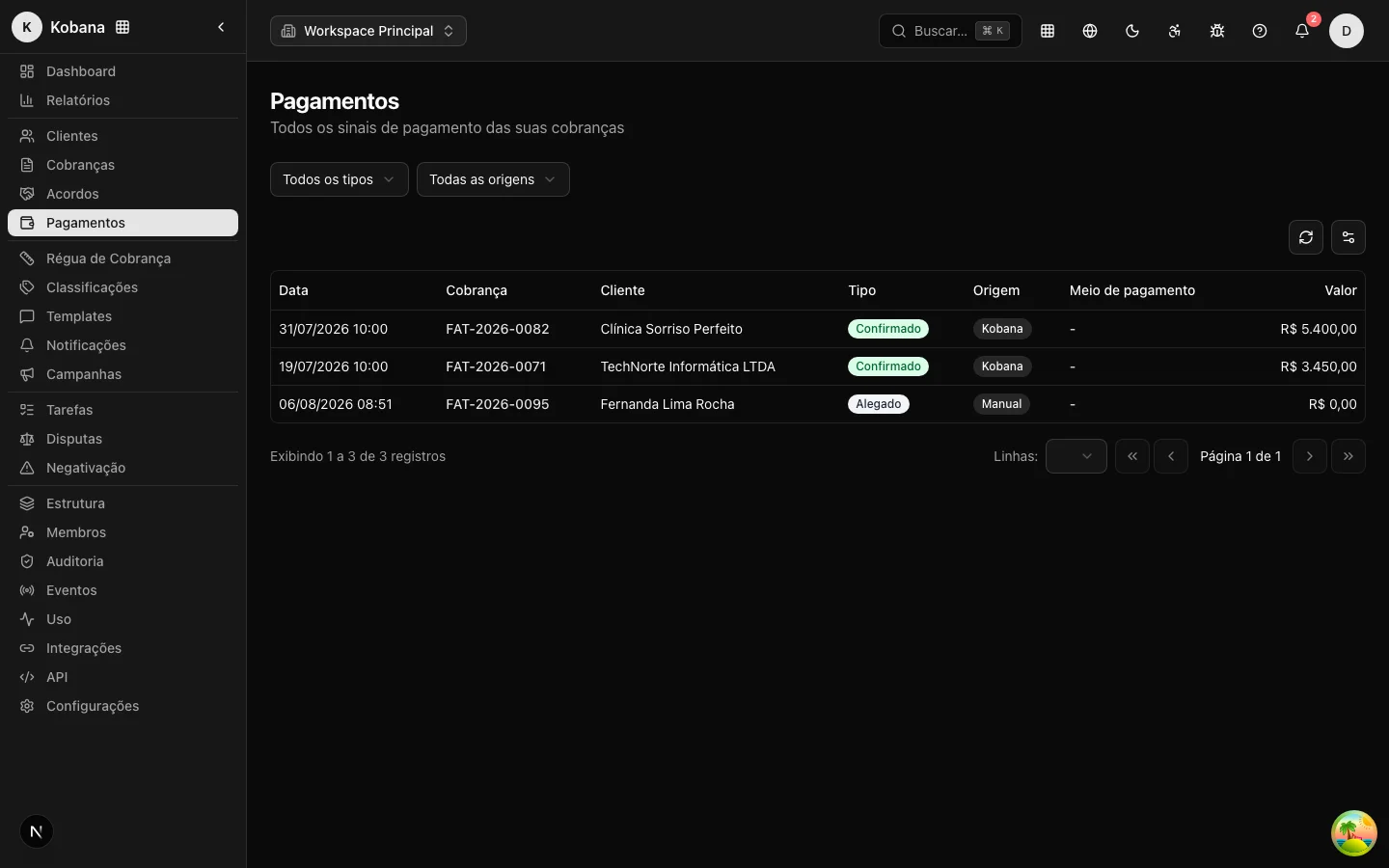
The Payments screen is the global list of every payment signal in the account, in one place. Each row is a payment event: the record that some money (or the claim of it) touched a charge, with the origin and the evidence that came with it. It is where you audit cash inflow without having to open charge by charge.
What each row shows
- Date — when the payment happened (the effective date; failing that, the date the event was recorded).
- Charge — the charge affected, with a direct link to the charge detail.
- Customer — the debtor of that charge.
- Type — the nature of the signal (see below).
- Origin — where the signal came from.
- Payment method — bank slip (boleto), PIX, transfer, when informed.
- Amount — the event's amount.
The event types
| Type | What it means |
|---|---|
| Confirmed | Confirmed payment, with settlement of the charge. |
| Partial | Payment of part of the debt (the balance continues as a child charge). |
| Reversed | Reversal of a previous payment, which reopens the charge. |
| Claimed | The debtor says they paid, still without confirmation; it goes into verification. |
Reading type and origin together tells the story of each entry: a "Confirmed" of origin Kobana is an automatic settlement from the gateway; a "Claimed" of manual origin is an "I already paid" awaiting proof. The mechanics of each case are in Payment and settlement.
The origins
| Origin | Where the signal comes from |
|---|---|
| Kobana | Kobana gateway webhook, in real time. |
| PSP | Another integrated payment provider. |
| CNAB | Bank return file. |
| Manual | Recorded by an operator on the charge. |
Filters
The list has a filter by type (confirmed, partial, reversed, claimed) and by origin (Kobana, PSP, CNAB, manual). They serve slices like "all of the month's reversals" or "everything that came in through CNAB".
This list vs. the history inside the charge
Do not confuse two similar things:
- Payments (this screen) is the global list: every payment event in the account, across all charges, with filters by type and origin. It is the treasury and audit view of the whole account.
- Payment history is a section inside a charge's detail: the payment events of that charge only, on a timeline. It is the view of a specific case.
Both show the same payment events; the difference is scope: the whole account versus a single charge.