Lifecycle
Every charge has a status that sums up where it stands in the collection cycle. Transitions follow a state machine: the system rejects invalid changes (like reopening a charge cancelled by mistake), and every transition is recorded in the audit trail.
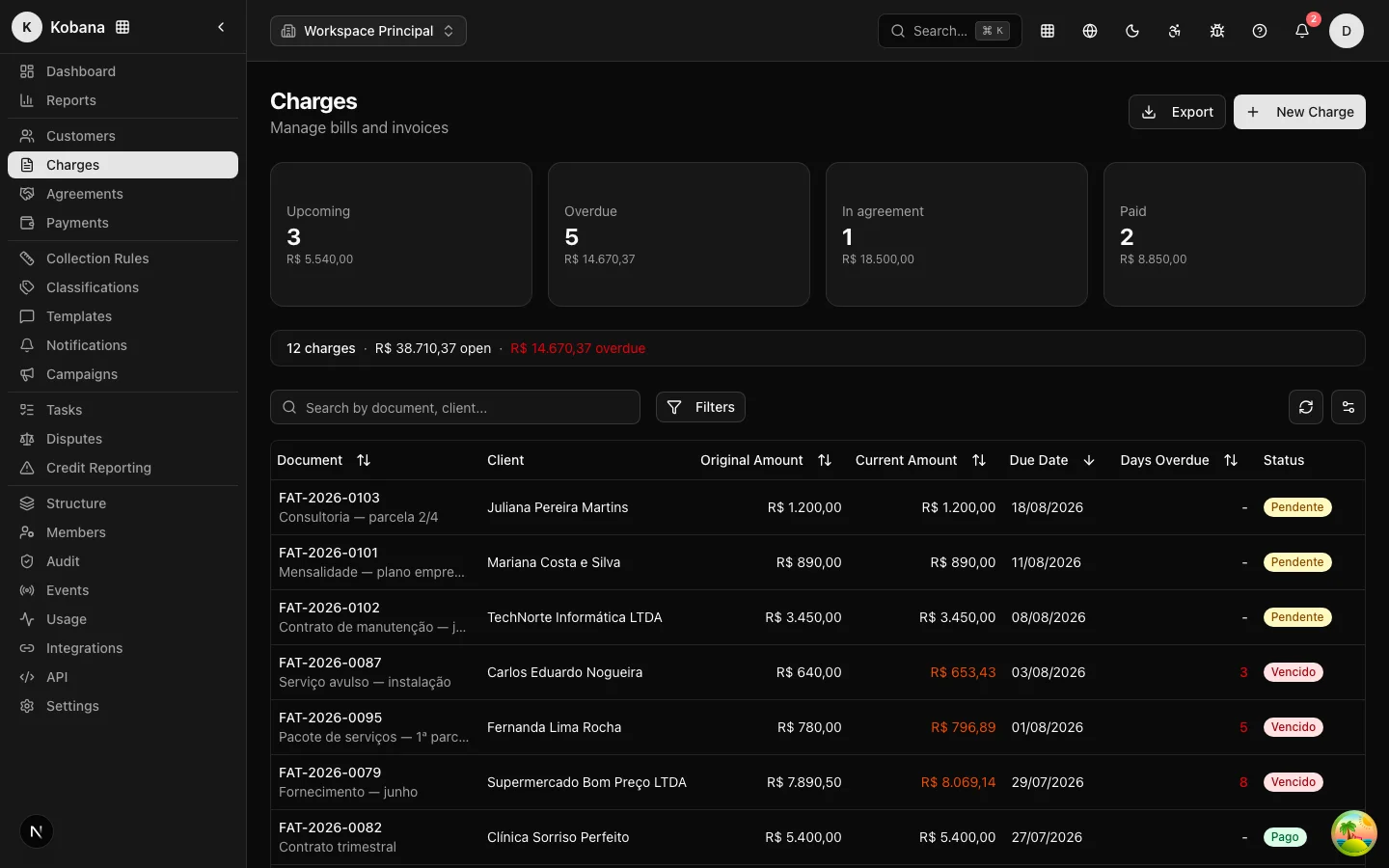
The statuses
| Status in the interface | Code (API) | What it means |
|---|---|---|
| Pending | pending | Issued, awaiting the due date. The rule may send preventive reminders. |
| Overdue | overdue | Past the due date without payment. This is where the rule really goes to work. |
| Paid | paid | Payment confirmed. The happy final state — the rule wraps up and any pending send is cancelled. |
| In agreement | negotiated | The debt has entered a negotiated agreement. The charge leaves the rule while the agreement stands. |
| Cancelled | cancelled | Cancelled by the operator (wrongful charge, issuance error). It is not collected and does not count in the open portfolio. |
| Registered | negatived | Registered with a credit bureau (SPC/Serasa). Only happens after mandatory human review. |
| Protested | protested | Protested at a notary office. Also requires prior human review. |
| Written off | written_off | Administrative write-off/loss. The debt stops being collected without having been paid. |
Day-to-day transitions
- Pending → Overdue: automatic. A daily process re-evaluates all open charges, updates days overdue, and flips the status once the due date passes. The same process corrects the reverse path (if the due date was extended, the charge goes back to Pending).
- → Paid: triggered by a payment event — gateway webhook, integration, or manual entry. Settlement immediately halts any pending rule send. See Payment and settlement.
- → Paid (partial settlement): a partial payment closes the original charge as Paid for the amount received and generates a new (child) charge for the remaining balance, which enters the rule from the start.
- → In agreement: when an agreement is accepted (by the operator or by the debtor on the portal). If the agreement is broken — detection is automatic, once an installment goes past the grace period (Installments and default) — or cancelled, the charge is reverted (back to Overdue or Pending) and re-enters the rule.
- → Cancelled: a manual operator action, via the Cancel Charge button on the detail view.
- → Registered / Protested: the rule or the operator can request it, but the status only changes after someone approves it in the human review queue.
- → Written off: an administrative write-off/loss action. A charge can be written off from Overdue, In agreement, Protested or Registered — the debt stops being collected without having been paid.
- Written off → Paid (recovery after write-off): a written-off charge can go back to Paid if the payment eventually comes in — the recovery is recorded even after the write-off.
- Paid → Overdue (chargeback): if the payment is reversed, the charge reopens and restarts the rule from the beginning (a new collection cycle), receiving the notices again. Legal actions already recorded are not duplicated.
The charge and the rule
The charge's status and its state within the rule are related but distinct things. On the charge detail view, the Collection Rule card shows the enrollment: Active (the rule is running), Paused (with the reason — open dispute, "I already paid" under verification, payment promise), Completed, or Ended (with the exit reason).
An Overdue charge with a Paused rule, for example, receives no messages until the pause is resolved — and the reason is always visible.
Why didn't my status change right away?
Two common situations:
- Flip from Pending to Overdue: happens in the daily processing run (overnight), not at the exact second of the due date.
- "It shows as open, but the customer paid": if the payment came in externally (a direct transfer, for example), the system has no way to know. Record the payment manually or handle the debtor's "I already paid" claim — that flow pauses the charge and opens a verification task before any new message.