Spreadsheet import
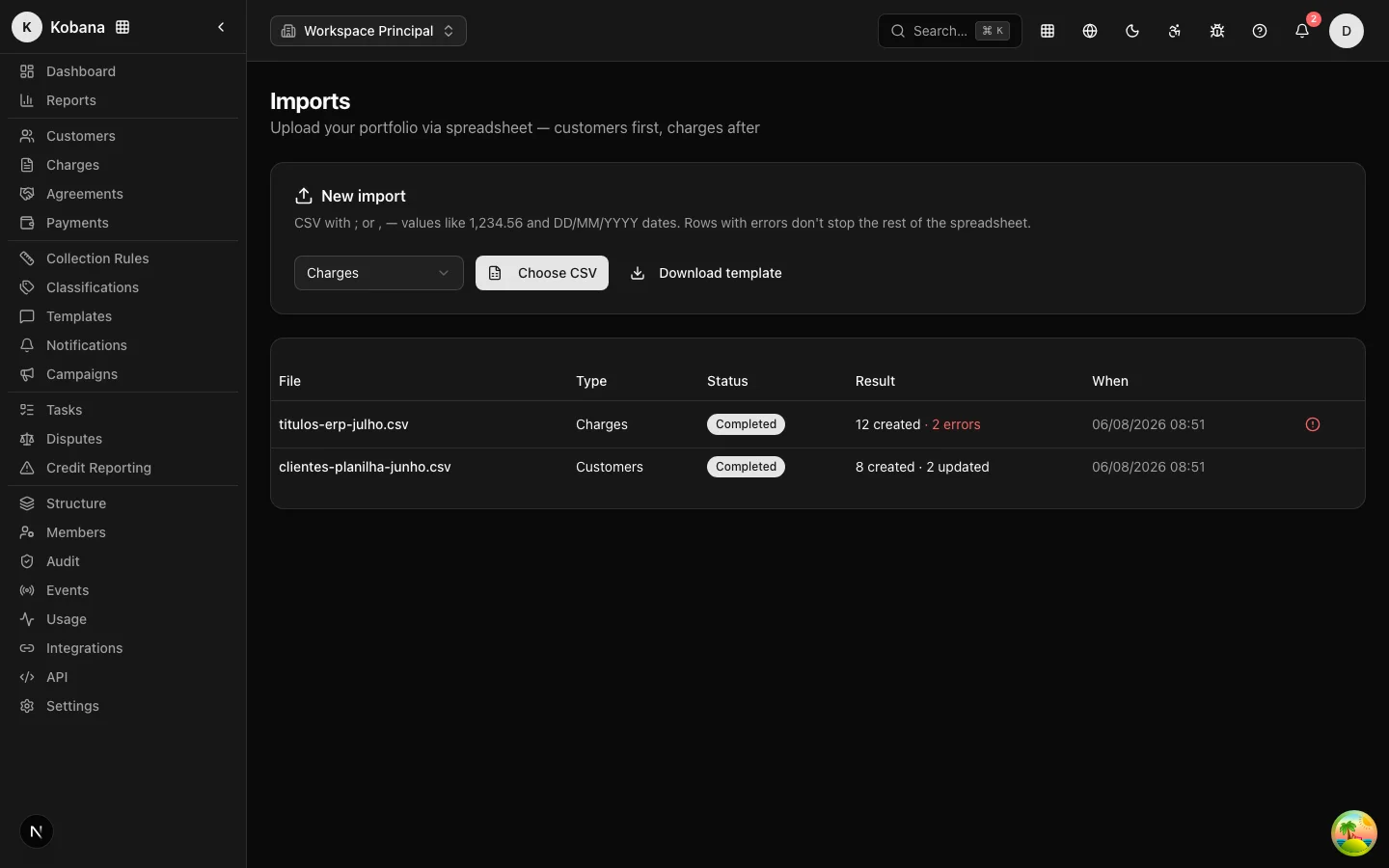
The Imports page uploads your portfolio via CSV file: customers first, then charges. Processing runs in the background, row by row — rows with errors do not bring down the rest of the spreadsheet.
File format
The format is everyday Brazilian CSV, with no exotic requirements:
- Separator: semicolon (
;) or comma (,) — detected automatically. - Amounts: Brazilian format, such as
1.234,56. - Dates:
DD/MM/AAAAorAAAA-MM-DD. - Header: required on the first row; column names are case-insensitive. Extra columns are ignored.
The Download template button on the page generates a sample CSV already in the right format for the selected type.
Columns — customers
| Column | Required | Notes |
|---|---|---|
nome | yes | |
documento | no | CPF (11 digits) or CNPJ (14); punctuation is ignored |
email | no | becomes the primary email |
telefone | no | becomes the primary phone |
external_id | no | the customer's ID in your system |
apelido, observacoes | no | |
tags | no | separated by ; within the cell |
Columns — charges
| Column | Required | Notes |
|---|---|---|
valor | yes | Brazilian format (1.250,00) |
vencimento | yes | DD/MM/AAAA or AAAA-MM-DD |
documento_cliente or external_id_cliente | one of the two | identifies the customer who owns the charge |
descricao, numero_documento, external_id | no | |
juros, multa, desconto | no | added to/subtracted from the current amount |
emissao | no | default: the import date |
Import customers before charges: a charge row referencing a nonexistent customer is rejected with the error "Customer not found — import customers first". Imported charges come in with source planilha and already with the correct status (Pending or Overdue, depending on the due date).
Deduplication
When importing customers, the system never duplicates records. For each row it looks for an existing customer first by external_id; if none, by document. Found: the row updates the existing record (only the filled-in fields). Not found: it creates one. Repeated rows within the file itself are also deduplicated.
Tracking and per-row errors
After the upload, the import appears in the table with a status (Queued → Processing → Completed or Failed) and the outcome: how many records were created, how many updated, and how many errors. The screen refreshes on its own while processing is in progress, and you receive a bell notification when it finishes.
If there are errors, the View errors link opens the full list, row by row, with the row number in the original spreadsheet and the reason ("Invalid 'valor' column", "'nome' column is required"...). Fix only the rejected rows and re-import just those — the rest have already been imported.
LGPD: the file is not retained
The CSV contents contain personal data (names, documents, contact info). For that reason, as soon as processing finishes — successfully or not — the file's contents are deleted from the system. Only the import metadata remains (file name, counts, per-row error list), which is what you need to audit and fix.