Export
Dunning exports customers and charges as CSV in two ways: immediate download (synchronous), for slices of up to 10,000 rows, and background export (the Exports page), for large datasets.
Immediate download (up to 10,000 rows)
The Export button available on the screens generates the CSV on the spot and downloads it straight to the browser. For charges, it accepts status and due date range filters.
The limit is 10,000 rows per download. If your dataset is larger than that, the file will come out truncated — use the background export, which exists exactly for this case.
Background exports
The Exports page in the sidebar menu generates large spreadsheets without freezing the screen and without stopping at 10,000 rows. The flow:
- Click New export.
- Choose what to export: Customers or Charges.
- For charges, filter if you want: Status (for example
overdue,paid,pending) and a due date range (from/to). - Click Generate export. Generation runs in the background; you can keep working.
When the file is ready, you receive a bell notification and the table row changes to Ready, with a Download button. The table shows the file, the type, the row count, the status (Queued → Generating → Ready or Failed), and when it was generated.
Two important details:
- Safety ceiling: asynchronous exports stop at 100,000 rows. If the query goes beyond that, the file is generated up to the ceiling and explicitly marked (partial) in the table — never silently truncated. In that case, use the filters to slice the export (by status or by due date range).
- 7-day validity: the finished CSV remains available for download for 7 days. After that it shows as expired and its contents are deleted (the file carries personal data; there is no reason to retain it indefinitely). Need it again? Generate another export.
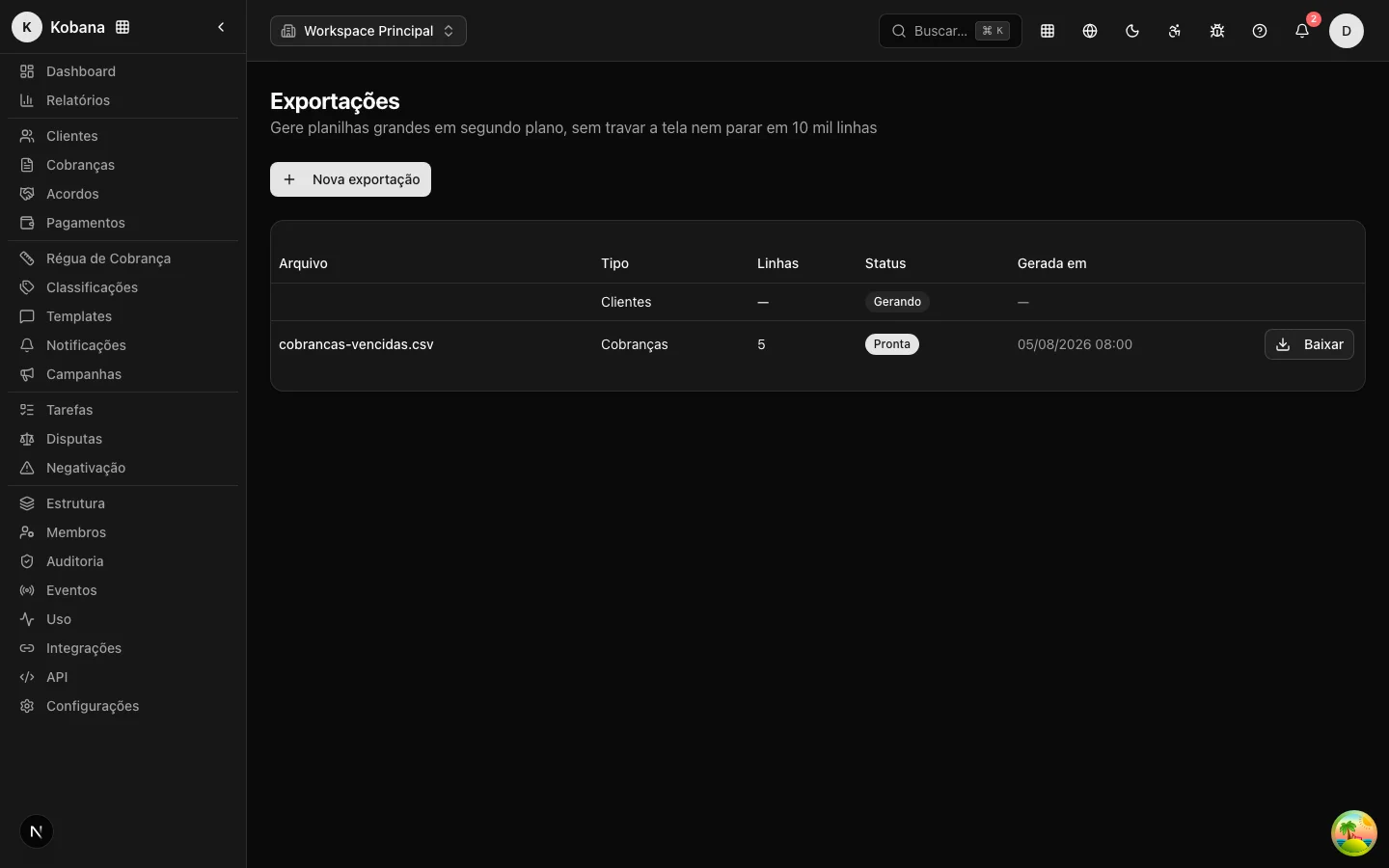
What goes into the file
- Customers:
nome,documento,tipo_documento,email,telefone,classificacao,external_id,tags,criado_em. - Charges:
cliente,documento_cliente,numero_documento,descricao,valor_original,valor_atual,vencimento,dias_atraso,status,origem,external_id.
The customer columns follow the same vocabulary as the import, so an exported CSV works as a base for bulk edits: export, edit in the spreadsheet, and import it back — deduplication by external_id/document updates the records instead of duplicating them.
Which one to use?
| Situation | Use |
|---|---|
| Small slice, needed now | Immediate download |
| Full dataset or over 10,000 rows | Exports (background) |
| Recurring report for another team | Exports, with the filters saved in your routine |
| Continuous integration with another system | Prefer the API or webhooks, not CSV |