Negotiation and agreements
An agreement consolidates one or more of the customer's debts into an installment plan, with or without a discount, within the conditions you authorized. It can be born in two ways: proposed by an operator (dashboard or API) or accepted by the debtor in the self-service portal.
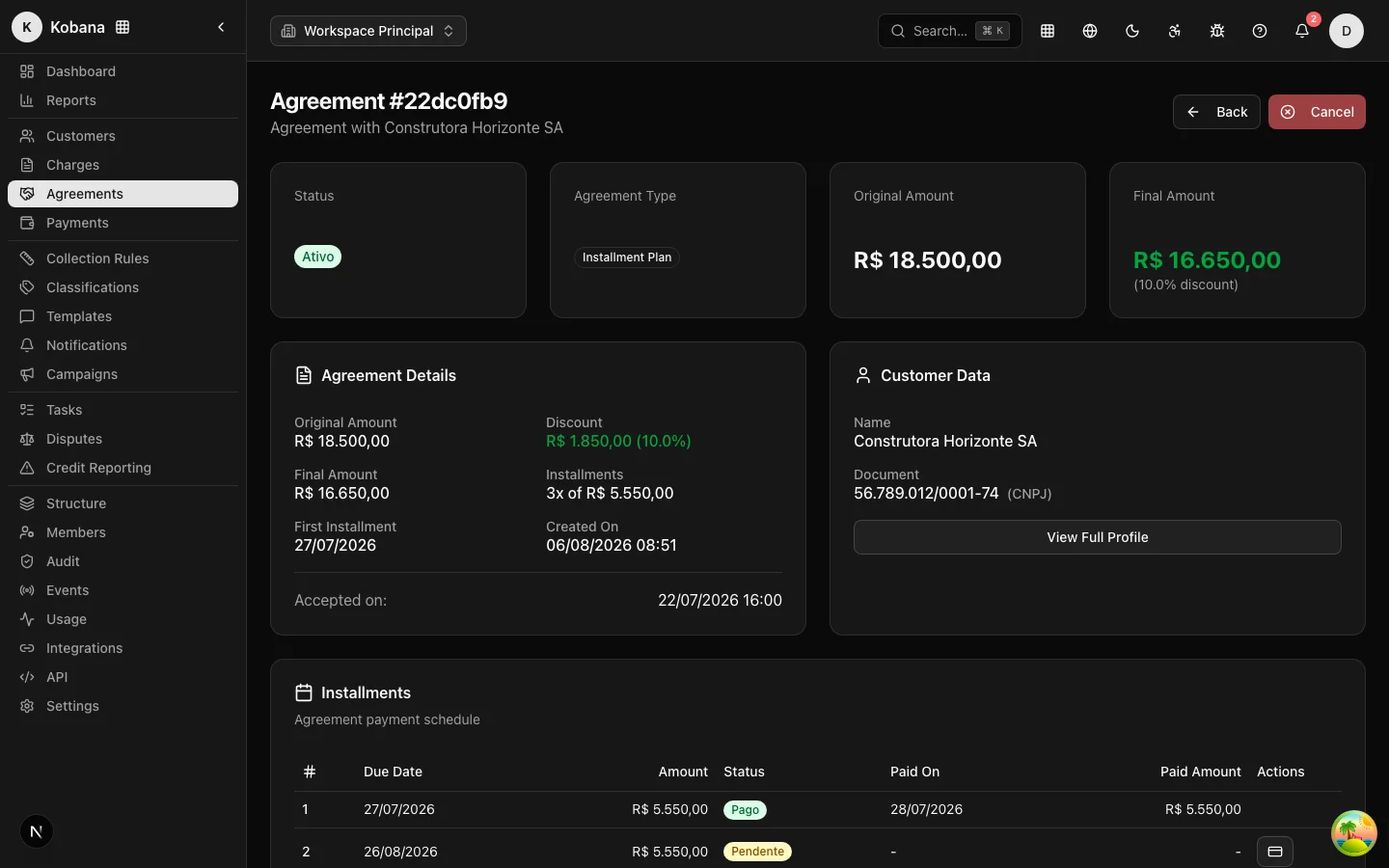
Anatomy of an agreement
| Field | Meaning |
|---|---|
| Original amount | Sum of the updated amounts of the included charges |
| Discount | Amount deducted (limited by the active offer/campaign) |
| Final amount | Original − discount: what will be paid |
| Installments | Number and amount of each monthly installment |
| First installment | Due date of installment 1 |
| Accepted terms | Text of the terms at the moment of acceptance |
| Acceptance IP | IP address recorded as evidence of acceptance |
Lifecycle
proposed ──► accepted ──► active ──► completed
    │            │           ├──► defaulted ──► active (regularizado)
    └──► cancelled ◄─────────┘
- Proposed (
proposed) — the proposal exists, awaiting acceptance. Only proposals can be accepted. - Accepted (
accepted) — acceptance recorded (with date, IP and terms); the installments are generated at this moment. - Active (
active) — agreement being paid. - Completed (
completed) — all installments settled. Final state. Completion is automatic: paying the last installment completes the agreement, and the daily check also completes agreements whose installments were all settled through some other path. - Defaulted (
defaulted) — broken agreement, detected automatically: a daily check marks overdue installments and breaks the agreement when the most overdue one exceeds the grace period (default: 5 calendar days, adjustable per agreement). The charges return to the collection rule at that same moment. It can be regularized (back toactive) or cancelled — see Installments and break. - Cancelled (
cancelled) — closed without completion; pending installments are cancelled along with it. Final state.
See the effects of a break in Installments and default.
Operator flow
- In Agreements → New Agreement, choose the customer, the amount, the discount, the number of installments (up to 120 via API) and the date of the first installment. The agreement is born
proposed. - When the customer confirms, use Accept Agreement: the system changes the status to
accepted, records the acceptance date and IP, and generates the installments automatically.
:::note Acceptance is idempotent
Only a proposed agreement can be accepted. Accepting an agreement that has already left that state — because it was already accepted or because two requests raced at the same time — returns 409 (CONFLICT) with no side effect: the installments are never generated twice.
:::
Portal flow (self-service)
In the portal, the debtor selects the charges, simulates the installment plan and accepts. Here is the flow's most important protection:
:::info Server-side proposal validation The discount and installment plan are never taken from the browser at face value. At acceptance, the server checks the proposal against the active negotiation offer (campaign or rule-created offer): a discount above what was authorized or installments beyond the ceiling are rejected with an error, and the attempt is recorded in the access log as a tampered proposal. With no active offer, there is no discount and the plan is capped at 12 installments. :::
In the portal, the first installment is due in 10 days and the plan goes up to the offer's ceiling (absolute maximum of 24 installments). Acceptance records the IP, the terms and an interaction on the customer's timeline.
Effect on the collection rule
The engine treats an accepted agreement as a successful exit from the rule: the charge moves to negotiated, the enrollment is completed with the reason agreement_accepted and pending sends are cancelled. The pre-send revalidation ensures no collection message goes out for a negotiated charge — a debtor who closed an agreement does not keep being dunned for the original debt.
Events and integration
The agreement.accepted webhook (and the other agreement events) notify your systems in real time — useful for issuing the installments' boletos in your ERP or gateway. See the API reference at /api/v1/agreements.