Generated documents (PDF)
The platform generates two legal documents as PDFs from the operation's own data, with no re-typing: the agreement term and the settlement letter. Both come out ready with the creditor's header (the organization's name, document, and logo), the identification of the parties, and standard text. In addition to these, there is an operational document — the debtor statement — with the position of all of a person's charges.
Agreement term
The term formalizes an agreement for installment payment. It brings together:
- Parties: creditor (the organization) and debtor, with name and document.
- Agreement summary: original amount, discount granted, final amount, number and value of installments, and the first due date.
- Installments table: number, due date, amount, and status of each installment.
- Renegotiated charges: when the agreement stems from a negotiation offer, the source receivable is listed.
- Legal text: acknowledgment of the debt, commitment to pay on the agreed dates, and the consequences of default, plus the proposal or acceptance date.
The term can be generated in any state of the agreement (proposed, accepted, active, etc.); the header reflects the current status.
Settlement letter
The letter declares, for all legal purposes, that the debtor has fully settled a debt. It carries the parties, the debt reference (document number and description), the amount paid, and the payment date, with the clause of full, general, and irrevocable release.
:::warning Only for a paid debt
The settlement letter is issued only when the charge is paid (status paid). For an open charge, generation is refused with a 409 error (CHARGE_NOT_SETTLED): you do not declare settlement of a debt that has not yet been paid.
:::
Debtor statement
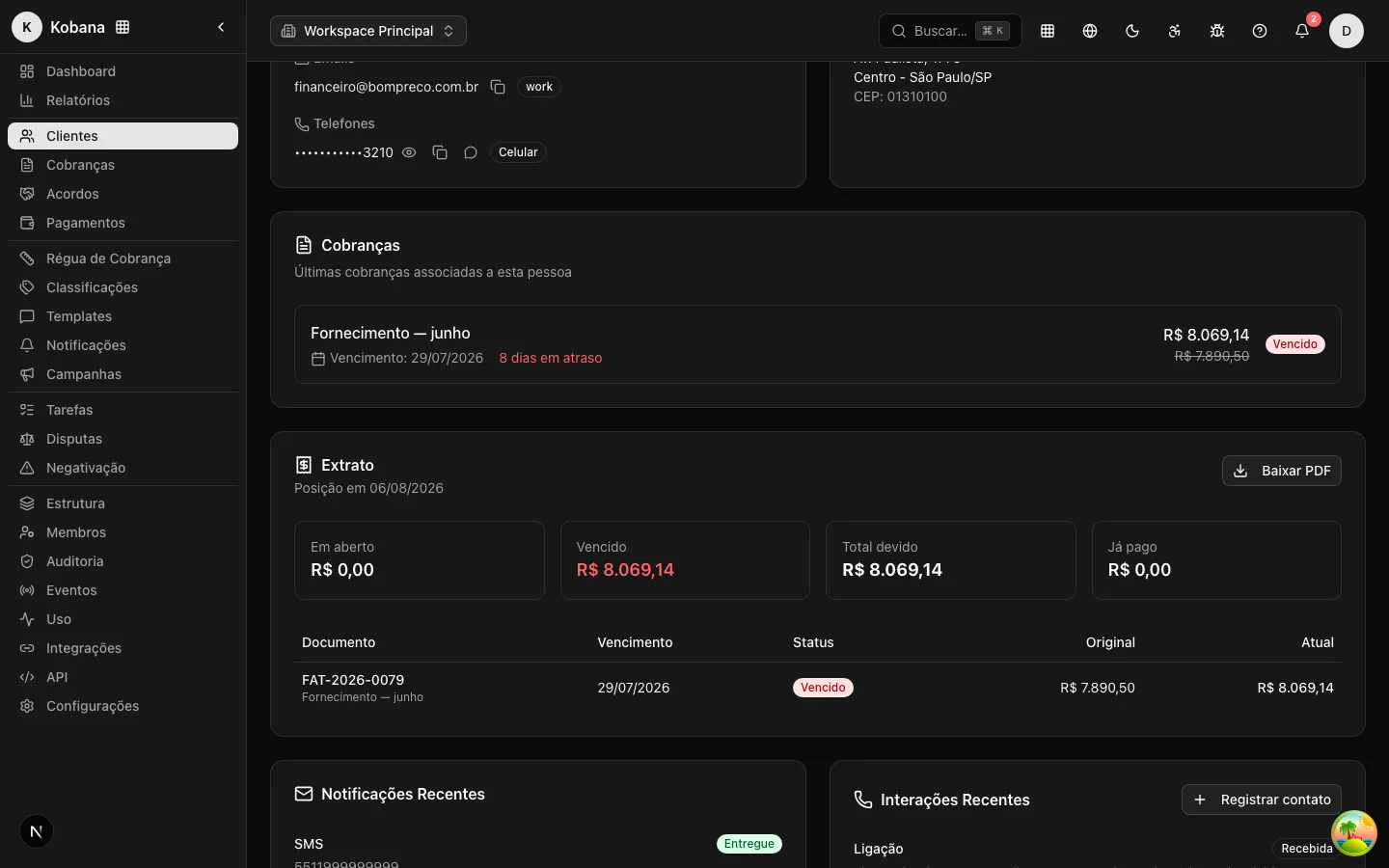
The statement gathers, in a single PDF, the position of all of a person's charges — useful for sending the debtor a complete picture of what they owe. It carries the parties (creditor and debtor) and a table with each charge (document, due date, status, original amount, and current amount), with the overdue ones highlighted, closing with the totals: open, overdue, and already paid.
Unlike the settlement letter, the statement can be generated at any time, regardless of the status of the charges.
How to obtain the PDFs
Today the documents are generated through the API (there is no download button on the dashboard screens):
- Agreement term (operator):
GET /api/v1/agreements/{id}/pdf. Requires read permission on agreements and is scoped to the session's organization. - Agreement term (debtor):
GET /api/portal-account/agreements/{id}/pdf, for the debtor authenticated in the portal account, limited to their own agreements. - Settlement letter (operator):
GET /api/v1/charges/{id}/settlement-pdf. Requires read permission on charges and returns 409 if the debt is not settled. - Debtor statement (operator):
GET /api/v1/people/{id}/statement-pdf. Requires read permission on people and is scoped to the organization. Also available via the Statement button on the customer detail screen.
Each route responds with the PDF as a binary attachment (Content-Type: application/pdf), ready to download or attach to an email to the debtor.